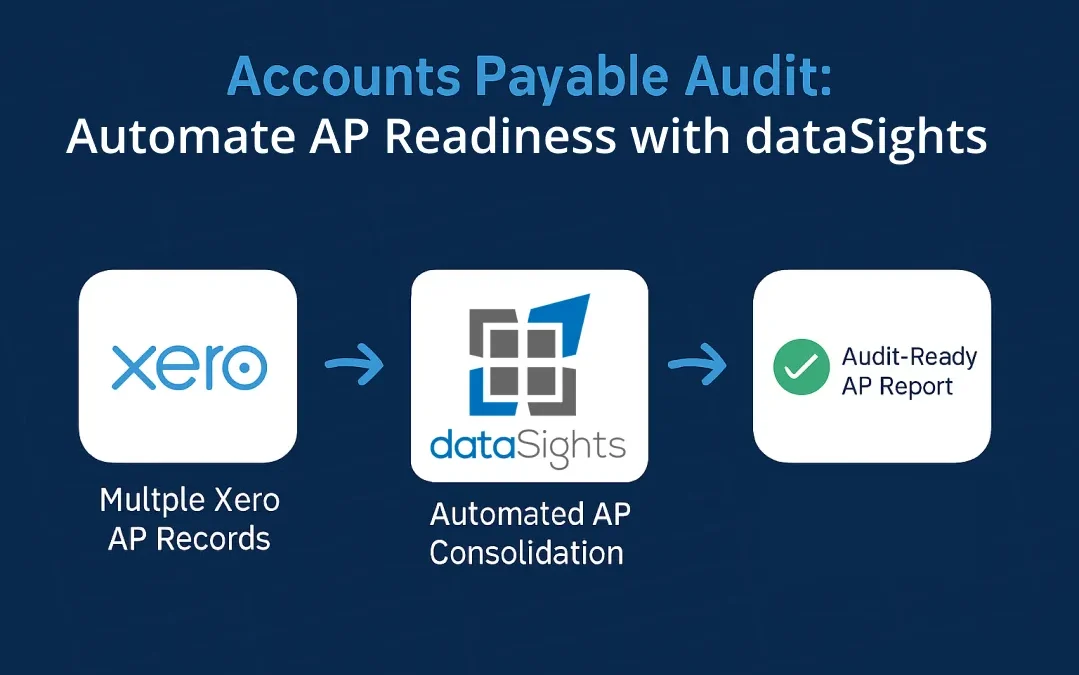
Your auditor has just requested full AP documentation across all six of your Xero entities, and the month-end close deadline is three days away. An accounts payable audit examines how your organisation records, approves, and pays vendor invoices to confirm your financial statements are accurate. For multi-entity businesses, this process becomes far more complex when AP data sits in separate Xero organisations with inconsistent posting practices. The ACFE 2024 Report to the Nations estimates that organisations lose 5% of annual revenue to fraud, with over half of cases linked to weak internal controls. This post walks you through what an accounts payable audit covers, the common issues auditors find, and how to automate your AP processes so you are audit-ready year-round.
Accounts Payable Audit Explained
An accounts payable audit is a structured review of your AP records, processes, and internal controls to verify that vendor liabilities and payments are complete, accurate, and properly disclosed in your financial statements. For multi-entity groups using Xero, audit preparation becomes much harder when AP data sits across separate organisations, which is why consolidated AP reporting and centralised audit trails are so important.
What Does an Accounts Payable Audit Cover?
An AP audit reviews your organisation’s payable records against supporting documentation. Auditors verify that payments are supported by appropriate documentation, which may include an invoice, purchase order, goods receipt, contract, or documented approval depending on the nature of the transaction. The scope typically covers your general ledger, vendor master file, payment authorisations, and year-end financial statements.
Under ISA 315 / ASA 315, auditors assess different assertions for transactions, account balances, and disclosures. For accounts payable, the most relevant assertions usually include:
- Completeness
- Cut-off
- Existence
- Rights and obligations
- Accuracy, valuation and allocation
- Classification
- Presentation
For accounts payable, completeness and cut-off usually receive the most attention because understated liabilities are a common period-end risk.
The Main Focus Areas in an AP Audit
In practice, AP audit testing usually focuses on whether liabilities are:
- Complete
- Recorded in the correct period
- Supported by appropriate documentation
- Presented correctly in the financial statements
Internal policy compliance may also be reviewed, but it is better described as a control or process focus area rather than a standard AP balance assertion.
- Completeness: Confirm that all supplier invoices and liabilities that should be recorded are included, especially around period end.
- Cut-off: Check that invoices and accrued liabilities are recorded in the correct reporting period.
- Accuracy and validity: Verify that recorded amounts are supported by appropriate documentation, such as invoices, purchase orders, goods receipts, contracts, or approved payment records, depending on the transaction type.
- Presentation and disclosure: Ensure payable balances are classified and disclosed correctly in the year-end financial statements.
How to Prepare for an Accounts Payable Audit
Preparation is the difference between a smooth audit and weeks of stress. Start gathering documentation early and standardise your processes across all entities.
Documents to Organise Before the Audit
Have these records accessible and reconciled before your auditor arrives:
- Vendor invoices, purchase orders, and delivery receipts
- General ledger and AP subledger reconciliations
- Vendor master file with current contact details, tax identification numbers, and payment terms
- Bank statements and payment records (including electronic fund transfers)
- Supplier contracts and agreed pricing schedules
- AP ageing reports and any outstanding credit notes
- AP approval matrix or delegated authority schedule
- Vendor onboarding forms and vendor master change log
Internal Controls Auditors Expect to See
Strong internal controls reduce fraud risk and make audits more efficient. Auditors often assess key controls before testing individual transactions. Common AP control areas include:
- Segregation of duties: Separate invoice processing, payment approval, payment execution, and bank reconciliation responsibilities.
- Approval workflows: Require documented approval and defined authority limits before payments are released.
- Three-way matching: For PO-based purchases, match the invoice to the purchase order and goods receipt before payment.
- Vendor master controls: Require documented vendor setup information and limit who can add or edit vendor records.
- Access controls: Restrict access to AP systems and payment functions to authorised personnel only.
Common Issues Found in an Accounts Payable Audit
AP audits consistently uncover recurring problems. Knowing what auditors look for helps you address weaknesses before they become findings.
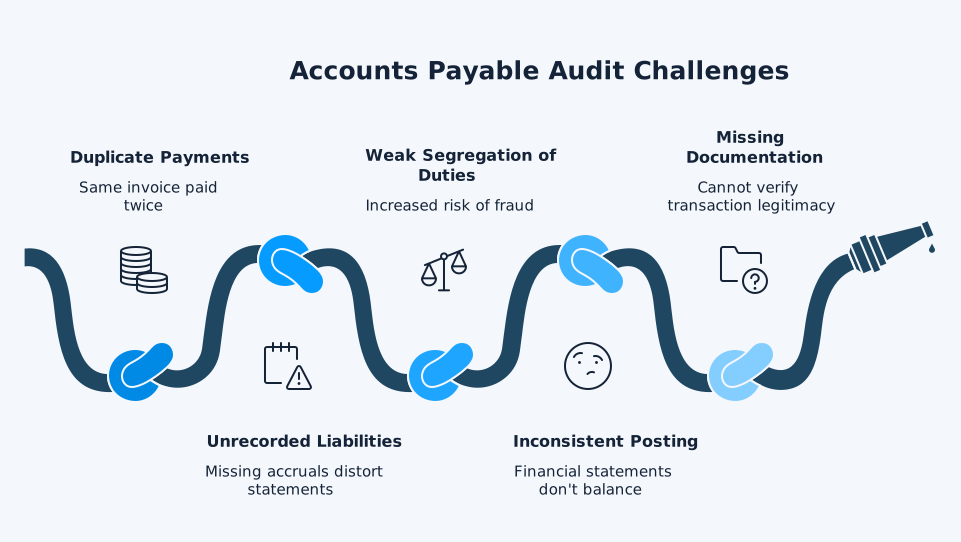
1. Duplicate Payments
Duplicate payments occur when the same invoice is paid twice due to manual data entry errors, vendor resubmissions, or system glitches. While ACFE’s 2024 fraud research is not a duplicate-payment study, it reinforces the broader point that weak payment controls increase fraud and error risk. For multi-entity businesses, duplicate-payment risk increases when the same vendor invoices different entities and there is no centralised view of what has already been recorded or paid.
2. Unrecorded Liabilities
Completeness is typically the primary concern in an AP audit. Auditors perform a search for unrecorded liabilities by reviewing invoices received after year-end that relate to goods or services delivered before the cutoff date. Missing accruals distort your financial statements and, if the misstatement is material and uncorrected, can contribute to a modified audit opinion.
3. Weak Segregation of Duties
The ACFE 2024 Report to the Nations found that over half of occupational fraud cases occurred due to a lack of internal controls or an override of existing controls. When one person handles invoice approval, payment processing, and bank reconciliation, the risk of fraudulent payments increases. Smaller organisations often face this challenge due to limited staffing.
4. Inconsistent Posting Across Entities
For businesses running multiple Xero organisations, inconsistent chart of accounts mapping, varied approval workflows, and different coding practices across entities can create significant audit and consolidation challenges. When AP transactions are recorded differently in each entity, group reporting often requires additional reconciliation and manual adjustment before the results are ready for review.
5. Missing or Incomplete Documentation
Auditors trace every payment back to its source documentation. When purchase orders, delivery receipts, or approval records are missing, the auditor cannot verify that a transaction is legitimate. Incomplete records are a particular problem in multi-entity groups where documents are stored across separate systems and locations. If your team cannot produce the supporting paperwork for a payment, the auditor will flag it as an exception, and repeated gaps point to a control weakness that requires remediation.
Manual vs Automated AP Audit Readiness
The following comparison highlights how automation reduces the burden of AP audit preparation across multi-entity groups:
| Audit Area | Manual Process | Automated with dataSights |
| AP subledger reconciliation | Export each entity to Excel, merge manually, identify discrepancies row by row | Consolidated AP data in a dedicated Azure SQL database makes reconciliation across entities faster and easier to manage |
| Vendor payment verification | Check each entity’s payment records individually, cross-reference manually | Consolidated reporting and drill-down views make it easier to review vendor payment activity across multiple Xero organisations |
| Posting consistency check | Compare chart of accounts and coding practices entity by entity | Configured mappings and validation checks help flag inconsistent account codes, tax treatment, and supplier coding across entities before period-end reporting |
| Audit trail documentation | Gather screenshots and exports from each Xero file separately | Centralised AP data is stored in a dedicated per-customer Azure SQL database, making supporting records easier to trace during audit preparation |
| Period-end cutoff testing | Manually track invoices received after year-end across all entities | Scheduled or on-demand refresh aligned to reporting cadence supports a more current view of AP data during period-end review |
| Reporting and analysis output | Build separate AP reports in each entity, then merge and review them manually | Web-based Management Reports with AP summary and detailed reporting; Excel automation through Office Add-In and Power Query; Power BI available for deeper drill-down and custom views |
How to Automate Your Accounts Payable Audit Readiness
Automation does not replace your auditor. It reduces the manual preparation work that consumes weeks of your finance team’s time, particularly for multi-entity groups.
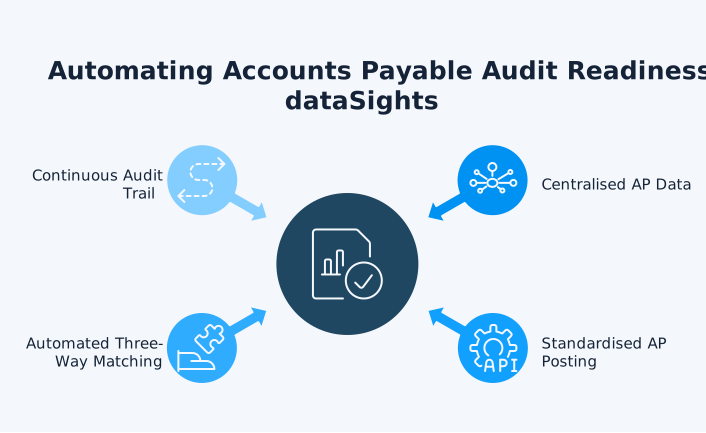
Centralise AP Data Across All Entities
The first step is bringing AP reporting data from every Xero organisation into one consolidated view for audit preparation, reconciliation, and review. dataSights syncs multiple Xero organisations into a dedicated Azure SQL database and delivers consolidated Management Reports through the web platform as the primary output. For teams that work in spreadsheets, Excel automation through the Office Add-In and Power Query refreshes AP data directly into existing audit schedules and month-end workbooks with no CSV exports. Power BI is available where deeper drill-down or custom dashboarding is required.
Standardise AP Posting With Automated Consistency Checks
Inconsistent coding is one of the most common audit findings in multi-entity groups. Configured mappings and validation checks help flag inconsistent account codes, tax treatment, and supplier coding across entities before period-end reporting. That gives finance teams a repeatable way to enforce consistent AP treatment across the group. Instead of manually reviewing each entity’s coding practices, the system flags inconsistencies and helps maintain standardised posting rules. This helps reduce coding inconsistencies that can lead to reconciliation issues, control exceptions, and additional audit testing.
Automate Three-Way Matching in Your AP Workflow
Three-way matching – comparing invoices to purchase orders and goods receipts – is an important control for PO-based purchasing because it helps catch duplicate payments, pricing mismatches, and invalid invoices before payment is released. This type of automation usually sits in a dedicated AP automation or procure-to-pay tool rather than in a reporting platform. For audit readiness, the key is making sure matching exceptions, approvals, and supporting documents can be reviewed easily during audit testing.
Build a Continuous Audit Trail
Auditors need a clear trail from transaction to financial statement. dataSights maintains a centralised audit trail in your dedicated Azure SQL database, with drill-through from consolidated group totals to individual entity transactions. Data refreshes and consolidated reporting outputs are stored in a centralised database, giving finance teams and auditors a clearer trail back to source transactions. This makes it easier to trace consolidated balances back to entity-level transactions without compiling that information manually across multiple Xero files.
The Multi-Entity AP Audit Challenge
Single-entity AP audits are straightforward. You reconcile one set of books, gather one set of documents, and present one consistent record. Multi-entity audits are a different challenge altogether.
When you run five, ten, or fifty Xero organisations, each with its own AP processes, the audit preparation workload multiplies. You need to confirm that intercompany payables are correctly recorded on both sides of each transaction. You need to verify that the same vendor is coded consistently across entities. You need to produce a consolidated AP ageing report that ties back to every individual entity.
This is where consolidated AP reporting matters most. For many multi-entity teams, it turns audit preparation from a manual, cross-file exercise into a shorter and more controlled review because group balances can be traced back to entity-level detail in one place. dataSights pulls Accounts Payable Summary and Detailed reports across all your Xero entities, delivering a unified view that your auditors can verify against individual entity records.
Your AP Audit Does Not Have to Be a Fire Drill
An accounts payable audit protects your organisation from fraud, ensures your financial statements are accurate, and strengthens your internal controls. The organisations that pass audits cleanly are the ones that maintain audit readiness year-round rather than scrambling at year-end. For multi-entity businesses on Xero, the key is consistent AP posting and consolidated reporting that gives auditors a clear, verifiable trail from group totals to individual transactions. Start by standardising your AP processes across entities, automating your reconciliation, and your next accounts payable audit will be a confirmation of what you already know, not a source of surprises.