
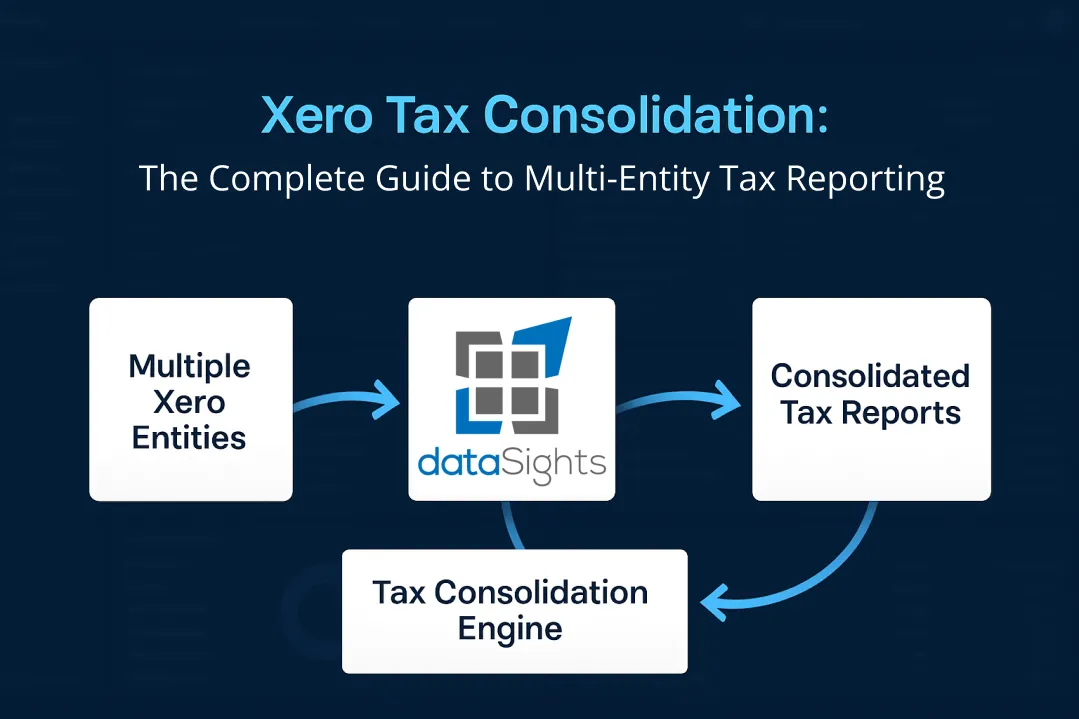
Managing tax obligations across multiple Xero entities creates unique challenges for finance teams. You’re dealing with separate financial records, intercompany transactions, and complex compliance requirements – all while racing against tax deadlines. If you’re running multiple companies in Xero and wondering how to streamline your Xero tax consolidation process, you’re not alone. This guide explores practical solutions for consolidating tax data across Xero entities, from understanding the implications to implementing automated workflows that reduce your month-end close time.
What Is Xero Tax Consolidation?
Xero tax consolidation involves combining financial data from multiple Xero entities to prepare consolidated tax reports and returns. Since Xero doesn’t provide consolidated reporting, businesses must either manually export and combine data or use automated solutions. With automated consolidation, dataSights helps finance teams reduce month-end close from over 15 days to under 5 days while ensuring tax compliance across all entities.
Ready to Automate Your Financial Consolidation?
Stop wrestling with manual consolidations and broken formulas. dataSights automates multi-entity reporting, Xero consolidations, and Power BI connections. Join 300+ businesses already transforming their financial reporting with our platform, rated 5.0 out of 5 by 90+ verified Xero users.
Table of Contents
Understanding Tax Implications of Multi-Entity Xero Structures
When you operate multiple companies in Xero, each entity maintains its own tax obligations and reporting requirements. Each legal entity needs its own Xero organisation, complete with separate subscriptions and tax settings.
The tax complexity multiplies when you consider:
- Different tax jurisdictions for each entity
- Varying GST/VAT rates and requirements
- Intercompany transactions that need elimination
- Currency conversions affecting taxable amounts
- Compliance deadlines across multiple entities
For Australian businesses, the challenge extends to specific requirements, such as the Notification of Formation of Consolidated Group (CGNFT) form, which Xero Tax doesn’t currently support. You’ll need to manage these compliance requirements outside the standard Xero workflow.
Manual Tax Consolidation: The Traditional Approach
Most finance teams begin with manual consolidation, which involves exporting data from each Xero entity, combining it in Excel, and reconciling any discrepancies. Here’s what that typically involves:
- Export trial balances from each Xero organisation
- Download transaction reports for tax-specific accounts
- Manually eliminate intercompany transactions
- Convert foreign currency amounts at appropriate rates
- Reconcile GST/VAT across all entities
- Prepare consolidated tax worksheets
You’ll need to download the data for each entity from Xero, upload it all into Excel, and then reconcile the fields against one another. This process typically takes 10-15 days for businesses with 5+ entities, and that’s before you even start preparing tax returns.
Automated Solutions for Tax Consolidation
Automated consolidation transforms how you manage tax reporting across multiple entities. Instead of manual exports and Excel gymnastics, you connect all your Xero organisations once and let automation handle the heavy lifting.
With dataSights’ Xero consolidation solution, you can:
- Connect unlimited Xero entities with automatic data refresh
- Apply consistent tax mappings across all organisations
- Automate intercompany eliminations for tax purposes
- Handle multi-currency conversions with current exchange rates
- Generate consolidated tax reports in minutes, not days
The automation extends beyond basic consolidation. You can create tax-specific views that show:
- Consolidated GST/VAT liability across all entities
- Tax-adjusted profit and loss statements
- Intercompany transaction summaries for tax documentation
- Entity-by-entity tax provision calculations
Managing Intercompany Transactions for Tax Purposes
Intercompany transactions create particular challenges for tax consolidation. These transactions between related entities must be eliminated to avoid double-counting revenue or expenses in your consolidated tax position.
Common intercompany transactions affecting tax include:
- Management fees and service charges
- Intercompany loans and interest
- Transfer pricing arrangements
- Shared cost allocations
- Dividend distributions
Using standardised charts of accounts, tax rates, and reporting periods across your Xero organisations makes it easier to pull reports together and identify these transactions. However, you still need robust processes to ensure all intercompany items are properly eliminated before tax calculations.
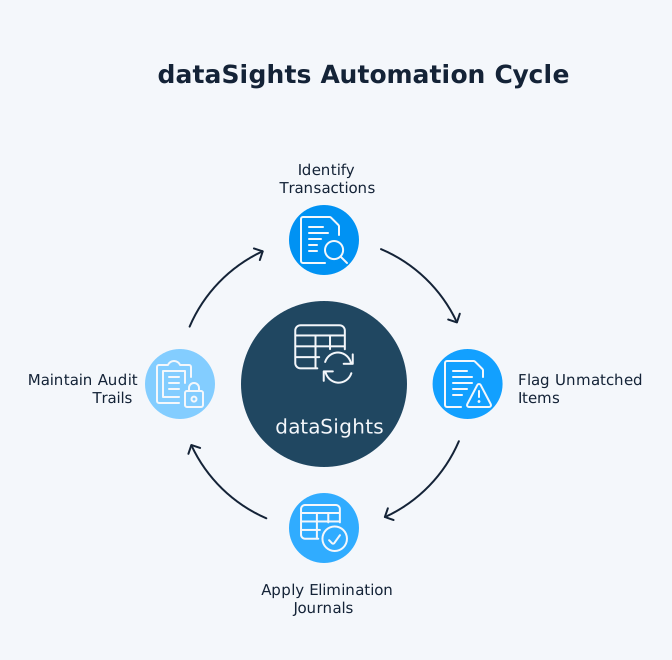
dataSights automates this process by:
- Identifying matching transactions across entities
- Flagging unmatched intercompany items
- Applying elimination journals automatically
Currency Conversions and Tax Reporting
Multi-currency operations add another layer of complexity to tax consolidation. Exchange rate fluctuations affect your taxable income, and different tax authorities may require specific conversion methods.
Key considerations include:
- Functional vs presentation currency for tax
- Exchange rates for transaction date vs reporting date
- Unrealised foreign exchange gains/losses
- Tax treatment of currency conversions
If your intercompany loans span multiple currencies, you need accurate conversions to maintain tax compliance. Manual calculations in Excel risk errors that could trigger tax authority queries.
Automated consolidation handles currency conversions by:
- Applying consistent exchange rates across all entities
- Calculating foreign exchange impacts automatically
- Separating realised and unrealised gains/losses
- Providing currency-specific tax reports
Compliance and Reporting Requirements
Tax compliance for consolidated groups involves more than just combining numbers. You need to maintain proper documentation, meet filing deadlines, and ensure accuracy across all submissions.
Critical compliance elements include:
- Maintaining separate tax registrations for each entity
- Filing individual returns where required
- Preparing consolidated tax provisions
- Documenting transfer pricing policies
- Reconciling tax accounts to financial statements
Each company has its own set of financials, which simplifies tax filing and audits. However, you still need consolidated views for group-level tax planning and compliance.
dataSights supports compliance by:
- Generating entity-specific tax reports
- Creating consolidated tax workpapers
- Tracking filing deadlines across entities
- Providing drill-down capabilities for audits
- Maintaining historical tax data
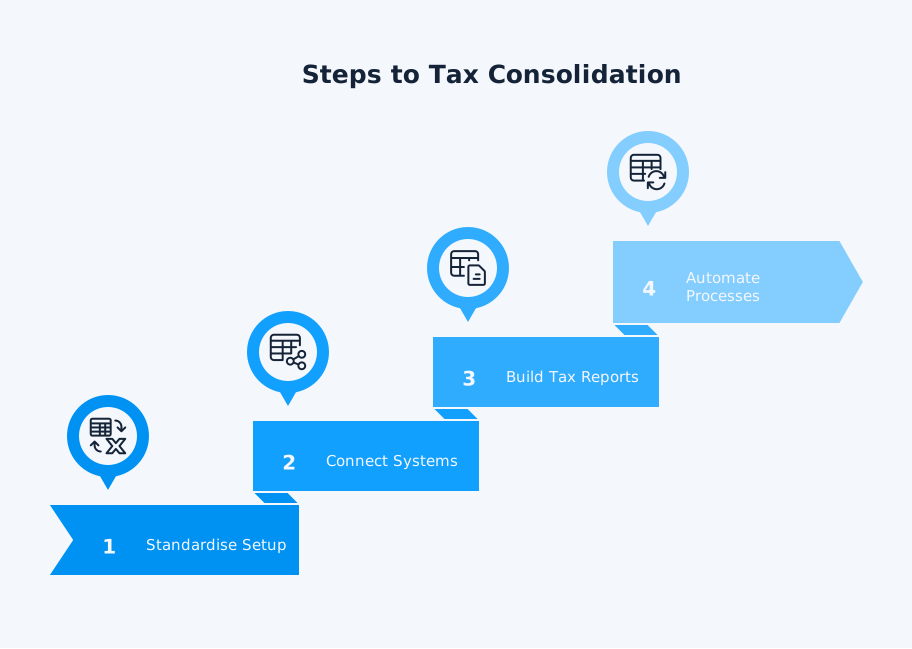
Implementing Tax Consolidation Workflows
Setting up effective tax consolidation requires careful planning and the right tools. Here’s a practical approach:
- Standardise Your Setup
- Align the charts of accounts across entities
- Use consistent tax codes and rates
- Implement uniform naming conventions
- Set up tracking categories for tax analysis
- Connect Your Systems
- Link all Xero organisations to your consolidation platform
- Map tax accounts consistently
- Configure elimination rules
- Set up automated data refresh schedules
- Build Tax-Specific Reports
- Create consolidated GST/VAT returns
- Design tax provision templates
- Develop intercompany reconciliation reports
- Build tax reports
- Automate Monthly Processes
- Schedule automatic data updates
- Run elimination processes
- Generate standard tax reports
- Review exception reports
With dataSights, this entire workflow runs automatically. You connect your Xero entities once, and the platform handles the rest – from data collection through to final tax reports.
Best Practices for Multi-Entity Tax Management
Success with tax consolidation depends on more than just technology. Consider these proven practices:
Maintain Clean Data
- Reconcile intercompany accounts monthly
- Use consistent tax codes across entities
- Document all manual tax adjustments
- Review tax mappings quarterly
Plan for Compliance
- Track filing deadlines by entity and jurisdiction
- Maintain supporting documentation digitally
- Prepare for tax audits with clear audit trails
- Update for tax law changes promptly
Optimise Your Processes
- Automate repetitive tax calculations
- Create templates for recurring reports
- Build checks and balances into workflows
- Train team members on standardised procedures
Monitor Performance
- Track time spent on tax consolidation
- Measure accuracy improvements
- Monitor compliance metrics
- Review process efficiency quarterly
Frequently Asked Questions
Can I file a consolidated tax return with multiple Xero entities?
How do I handle GST/VAT when consolidating multiple Xero companies?
What about the Australian CGNFT form for consolidated groups?
Do I need separate tax returns for each Xero entity?
How do transfer pricing rules affect Xero consolidation?
Can I consolidate entities from different countries in Xero?
What's the best way to track tax adjustments in consolidated reports?
How often should I run tax consolidation reports?
Simplify Your Tax Consolidation Today
Transform Your Xero Tax Consolidation Process
About the Author
Kevin Wiegand
Founder & Client happiness
I’m Kevin Wiegand, and with over 25 years of experience in software development and financial data automation, I’ve honed my skills and knowledge in building enterprise-grade solutions for complex consolidation and reporting challenges. My journey includes developing custom solutions for data teams at Gazprom Marketing & Trading and E.ON, before founding dataSights in 2016. Today, dataSights helps over 300 businesses achieve 100% report automation. I’m passionate about sharing my expertise to help CFOs and Financial Controllers reduce their month-end close time and eliminate the manual Excel exports that drain their teams’ valuable time.