
Can you file accounts through Xero? It’s a question thousands of UK businesses are asking as Companies House moves toward mandatory software filing. If you’re wondering whether Xero explore can handle your statutory filings directly, you’re asking the right question. With small businesses now required to submit profit and loss accounts alongside balance sheets, understanding your options for streamlined compliance has never been more critical. Let’s explore exactly how Xero handles account filing and what this means for your business.
Can You File Accounts Through Xero?
Yes, you can file accounts through Xero using Xero Tax, but there’s an important catch – it’s only available to Xero Partners (accountants and bookkeepers), not individual businesses. Xero Tax enables direct submission of statutory accounts to Companies House and corporation tax returns to HMRC, supporting both FRS 102 1A and FRS 105 frameworks. The software automatically applies XBRL tags for compliance and provides validation checks to prevent rejections.
Ready to Automate Your Financial Consolidation?
Stop wrestling with manual consolidations and broken formulas. dataSights automates multi-entity reporting, Xero consolidations, and Power BI connections. Join 300+ businesses already transforming their financial reporting with our platform, rated 5.0 out of 5 by 90+ verified Xero users.
Table of Contents
Understanding Xero Tax: Your Gateway to Account Filing
Xero Tax is professional tax software that creates an efficient workflow between your bookkeeping data and statutory filing requirements. It’s part of Xero HQ, meaning if your accountant is a Xero Partner, they already have access to this powerful tool.
The integration eliminates the traditional disconnect between bookkeeping and compliance. Your financial data flows directly from Xero’s core accounting platform into formatted statutory accounts, ready for submission. No more exporting trial balances to third-party software or manual data entry between systems.
Who Can File Accounts Through Xero?
Here’s where it gets specific: Xero Tax is exclusively available to UK Xero Partners. To become a Xero Partner, you need:
- An accounting practice with at least one registered accountant
- One staff member to complete the Xero advisor certification within 30 days
- No ongoing costs – the partner programme is free
Individual business owners cannot access Xero Tax directly. If you’re managing your own books in Xero but need to file statutory accounts, you’ll need to work with a Xero Partner accountant.
Types of Accounts You Can File
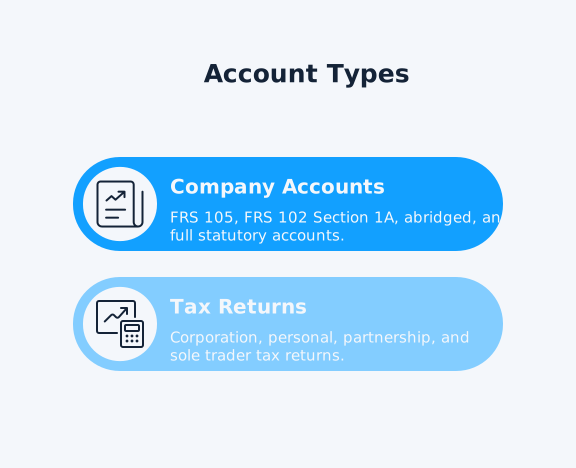
Xero Tax handles multiple account types and frameworks:
Company Accounts:
- FRS 105 (micro-entity accounts)
- FRS 102 Section 1A (small company accounts)
- Abridged accounts for qualifying entities
- Full statutory accounts with all required disclosures
Tax Returns:
- Corporation tax returns (CT600) to HMRC
- Personal tax returns for individuals
- Partnership tax returns
- Sole trader accounts with income schedules
The software automatically formats accounts with XBRL tags, ensuring they meet Companies House digital filing requirements. This extensible business reporting language enables computers to interpret your financial data accurately.
Benefits of Filing Through Xero
The integrated approach offers several advantages:
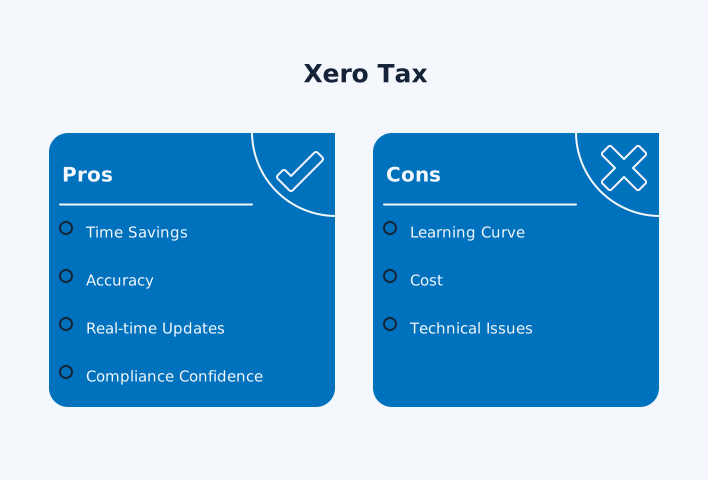
Time Savings: DSK Partners reported 25% time savings after adopting Xero Tax. Data flows automatically between bookkeeping and compliance, eliminating duplicate entry.
Accuracy: Validation checks catch errors before submission. The system highlights known issues that would cause HMRC or Companies House to reject your filing.
Real-time Updates: Track the status of submitted documents in real-time. Know instantly whether your filing has been accepted or if amendments are required.
Compliance Confidence: Automatic XBRL tagging ensures your accounts meet current technical standards. The software updates annually to reflect new requirements.
Common Challenges and Solutions
Limited Framework Support: Some accountants find the restriction to FRS 102 1A limiting. Full FRS 102 isn’t currently supported, which may affect clients requiring detailed financial disclosures.
Manual Adjustments: Despite automation, some manual adjustments are still required. Complex disclosures or non-standard situations may require customisation beyond the templates.
Switching Between Frameworks: Currently, you cannot easily switch between FRS 105 and FRS 102 1A after generating accounts. Many clients need FRS 102 1A for bank lending but file FRS 105 to Companies House.
Alternatives for Non-Accountants
If you’re a business owner without access to Xero Tax, several options exist:
Third-party Integration: Software like Iris Elements connects with Xero to import trial balance data. You can prepare and file accounts independently.
Traditional Approach: Export your Xero data and use dedicated accounts production software. This adds steps but gives you full control.
Hybrid Solution: Maintain your bookkeeping in Xero while your accountant uses their preferred software for statutory accounts. Many practices successfully combine Xero bookkeeping with other filing tools.
Preparing for Mandatory Software Filing
Companies House is implementing mandatory software filing for all companies. Paper filing and free online services, such as WebFiling, will no longer be accepted. Small companies must now file profit and loss accounts, not just balance sheets.
These changes aim to improve transparency and reduce fraud. By requiring software filing and more detailed reporting, Companies House can maintain higher-quality data.
Making the Decision
Whether Xero is right for your account filing depends on your situation:
Ideal for:
- Accounting practices already using Xero
- Businesses with straightforward reporting needs
- Those wanting integrated bookkeeping and compliance
- Practices filing multiple FRS 105 or FRS 102 1A accounts
Less suitable for:
- Individual business owners filing their own accounts
- Complex groups needing complete FRS 102
- One-off filings where learning new software isn’t worthwhile
- Businesses requiring specialised disclosures beyond standard templates
Frequently Asked Questions
Can individual business owners file accounts through Xero without an accountant?
No, Xero Tax is only available to Xero Partners (accountants and bookkeepers). Individual businesses cannot access the filing features directly. You’ll need to work with a Xero Partner accountant or use alternative filing software.
What accounting frameworks does Xero Tax support?
Xero Tax supports FRS 105 (micro-entities) and FRS 102 Section 1A (small companies). Complete FRS 102 is not currently available, which may limit options for larger or more complex businesses.
Can you switch between FRS 105 and FRS 102 1A after generating accounts?
Not easily. Once you’ve generated accounts in one framework, switching requires starting over. Many accountants prepare FRS 102 1A for client approval then recreate it in FRS 105 for filing.
Does Xero Tax handle corporation tax returns as well as accounts?
Yes, Xero Tax files both statutory accounts to Companies House and corporation tax returns (CT600) to HMRC. It includes iXBRL tagging for both submissions.
What happens if Companies House rejects my Xero Tax submission?
Xero Tax provides validation checks before submission to minimise rejections. If issues occur, you can track the status, make amendments, and resubmit directly through the platform.
Is Xero Tax suitable for all business types?
Xero Tax is well-suited for companies, sole traders, and partnerships with standard reporting requirements. Charities, CICs, or businesses with complex structures may find the templates limiting.
The Bottom Line on Xero Account Filing
Filing accounts through Xero streamlines compliance – but only if you’re an accountant or working with one. The integration between bookkeeping and statutory filing saves practices significant time when handling multiple clients. Automatic XBRL tagging and direct submission remove technical barriers.
For business owners, the message is clear: you’ll need a Xero Partner accountant to access these filing features. As mandatory software filing approaches, partnering with a Xero-enabled practice could simplify your compliance journey while keeping all your financial data in one ecosystem.
Ready to Streamline Your Financial Reporting?
Whether you’re handling filings for one company or consolidating dozens, automated reporting starts with the right tools. With dataSights’ Xero consolidation solution, you can automate complex multi-entity reporting in minutes, not days. Rated 5.0 by 90+ Xero users, our platform helps you achieve the accuracy and efficiency your finance team needs. Join 300+ businesses already transforming their reporting.
About the Author
Kevin Wiegand
Founder & Client happiness
I’m Kevin Wiegand, and with over 25 years of experience in software development and financial data automation, I’ve honed my skills and knowledge in building enterprise-grade solutions for complex consolidation and reporting challenges. My journey includes developing custom solutions for data teams at Gazprom Marketing & Trading and E.ON, before founding dataSights in 2016. Today, dataSights helps over 300 businesses achieve 100% report automation. I’m passionate about sharing my expertise to help CFOs and Financial Controllers reduce their month-end close time and eliminate the manual Excel exports that drain their teams’ valuable time.