You have spent another week buried in spreadsheets, chasing intercompany reconciliations that still will not balance. Your CFO wants the consolidated numbers yesterday, your auditors want the trail documentation today, and your team is already behind on next month’s forecasts. This cycle repeats every month for finance teams managing multiple entities. APQC’s public benchmark for monthly consolidated financial statements shows a median close time of 6.0 calendar days. Month end close automation replaces manual bottlenecks – reconciliations, eliminations, journal entries, and report assembly – with repeatable workflows that reduce delay and improve control.
What Is Month End Close Automation?
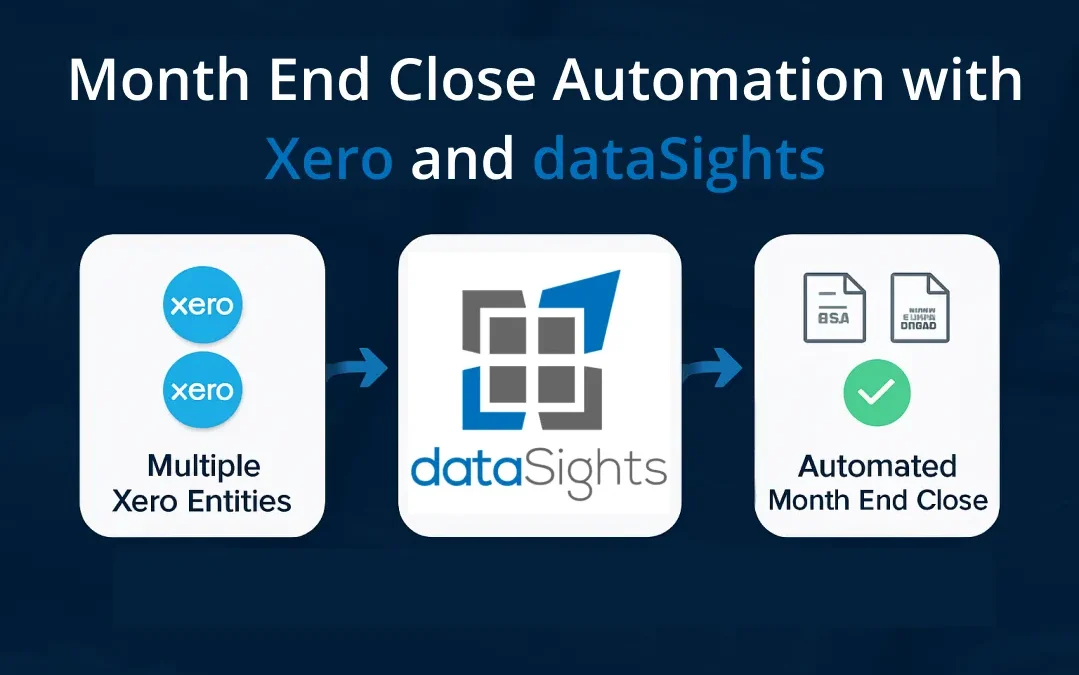
Month end close automation uses scheduled data connections, rule-based reconciliations, and pre-configured elimination entries to reduce manual spreadsheet work across the financial close. APQC’s public benchmark for monthly consolidated financial statements shows a median close time of 6.0 calendar days across 10,201 companies, which is why finance teams focus first on reconciliations, eliminations, and report assembly. For multi-entity Xero groups, platforms like dataSights automate Xero consolidation with intercompany eliminations, Trial Balance reconciliation, and management report generation, while finance still retains responsibility for review, exceptions, and final sign-off.
Why the Month End Close Takes So Long
Before you can fix the close, you need to understand where time actually goes. For most finance teams, the close slows down in the same places:
- Reconciliations
- Adjusting entries
- Intercompany work
- Final review
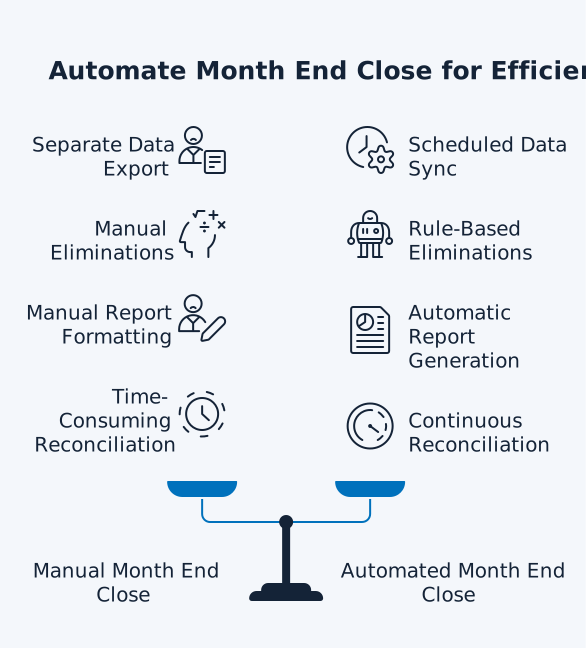
These tasks become harder when data is fragmented across entities and reporting still depends on manual spreadsheet handling. Reporting itself takes relatively little time – it is everything before reporting that causes delays.
Spreadsheet Dependency
Many finance teams still depend heavily on spreadsheets during the close. That creates version-control issues, manual handoffs, and a higher risk of formula or mapping mistakes as entity counts grow. When your consolidation lives in spreadsheets, you face:
- Version control issues
- Formula errors
- Limited or inconsistent audit trail
Research across industries indicates that spreadsheet error risk is persistent. Prior field-audit evidence summarised by Tuck researchers found errors in 94% of operational spreadsheets. As a result, every manual export, workbook merge, and formula-based adjustment adds control risk to the close. For multi-entity groups, each copy-paste between Xero entities multiplies that risk.
Multi-Entity Complexity
Running multiple Xero organisations typically involves:
- Exporting Trial Balances from each entity
- Manually aligning charts of accounts
- Processing intercompany eliminations in a separate workbook
- Verifying that the consolidated balance sheet still balances at the end
A standard chart of accounts, consistent mappings, and one reporting structure across entities make the close easier to control. When each entity uses different account logic, it leads to:
- Longer consolidation timelines
- More frequent reconciliation breakdowns
- Reduced trust in reporting
Manual Reconciliation Bottlenecks
Reconciliation is often one of the biggest hidden delays in the close. When matching depends on manual work, even one late data source or uncleared exception can push the rest of the timetable back. Automating reconciliation helps finance teams
- Speed up matching
- Improve accuracy
- Gain better visibility into exceptions before they delay the close
What Month End Close Automation Actually Covers
Month end close automation is not a single tool. It is a set of connected workflows that replace manual steps across the entire close process. The scope ranges from data collection at the start of the close through to consolidated report distribution at the end. Understanding each layer helps you prioritise where automation will have the greatest impact for your team.
Automated Data Collection and Sync
Instead of exporting CSVs from each system at month end, automation pulls data on a scheduled cadence. For Xero users, this means every entity’s transactional data flows into a central data consolidation layer automatically. Across its customer base, the dataSights platform currently syncs data from over 4,000 Xero entities daily, giving finance teams a reporting layer built for high-entity-count groups as well as smaller structures. No manual exports, no stale data, no version conflicts.
Rule-Based Account Reconciliation
Automated matching rules compare bank feeds, subledgers, and the general ledger continuously rather than once at month end. When matching runs throughout the month, the volume of items requiring manual review at period end drops substantially. Exceptions still need human judgement, but your team arrives at month end with most accounts already balanced rather than facing a backlog.
Intercompany Elimination Automation
For multi-entity groups, intercompany eliminations are one of the most error-prone and time-consuming close tasks. Automation typically includes applying pre-configured elimination rules to:
- Intercompany revenue
- Expenses
- Loans
- Inventory transactions
With a full audit trail documenting every adjustment. Reliable automated eliminations depend on clean account mappings, consistently coded counterparties, understood timing differences, correctly configured FX treatment, and settled policy decisions. Subject to review of exceptions, mappings, and policy settings, automation handles the mechanical work while finance retains oversight.
For example, if Entity A sells $100,000 of services to Entity B, the $100,000 intercompany revenue in Entity A and the corresponding $100,000 intercompany expense in Entity B are eliminated on consolidation. This eliminates only the intercompany portion – any revenue from external customers remains in consolidated figures. The system handles this without a single journal entry in Excel, subject to correctly configured intercompany relationships.
Journal Entry Templates and Auto-Posting
Recurring entries like depreciation accruals, payroll provisions, and prepayment releases follow the same pattern every month. Automation standardises these entries with pre-built templates, reducing both preparation time and the risk of transposition errors.
Consolidated Report Generation
Once data is reconciled and eliminations are applied, the following reports generate automatically:
- Consolidated P&L
- Balance Sheet
- Cash Flow
- Trial Balance
With dataSights, these flow directly into management reports in Excel via the OfficeAddIn, Power BI dashboards, or Google Sheets – ready for board review without manual formatting.
Step-by-Step: Automating Your Month End Close
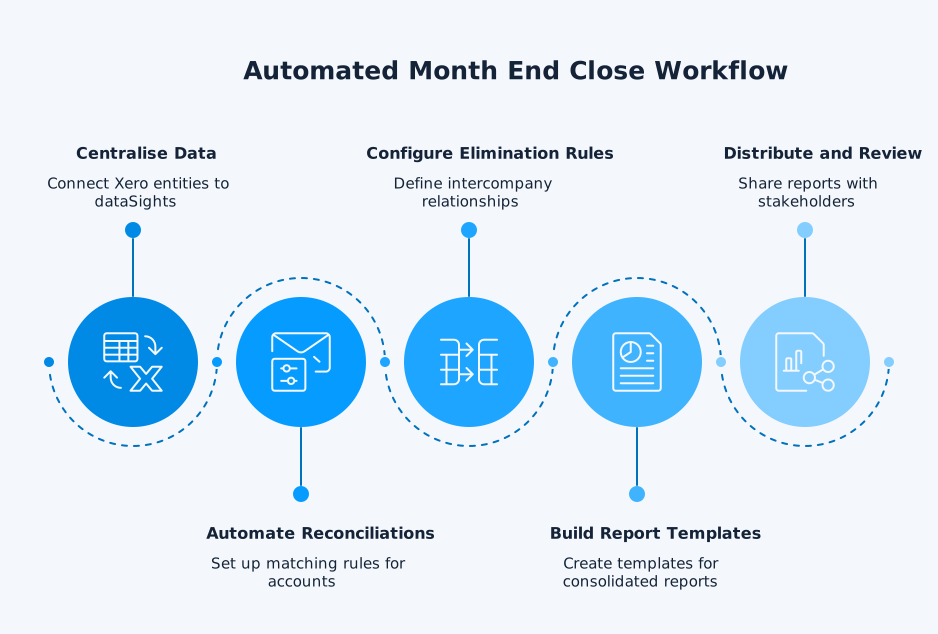
Moving from a fully manual close to an automated one does not happen overnight. The most effective approach is incremental – automate one layer at a time, validate results against your existing process, and expand from there. Here is a practical seven-step sequence for multi-entity Xero groups.
- Audit your current close: Map every task, who owns it, and how long it takes. Identify the top three time drains – typically reconciliations, eliminations, and report formatting.
- Centralise your data: Connect all Xero entities to a single data platform. With dataSights, each customer gets a dedicated Azure SQL database that syncs transactional data from every connected Xero organisation on a configurable refresh schedule.
- Automate reconciliations first: Set up matching rules for bank, credit card, and intercompany accounts. Move from monthly reconciliation to weekly or continuous matching so month end becomes confirmation, not discovery.
- Configure elimination rules: Define intercompany relationships, confirm counterparty coding is consistent, and configure FX treatment. Once mappings are clean and policy decisions are settled, the system applies elimination entries on each close. This removes the highest-risk manual step from your close, subject to ongoing review of exceptions and policy settings.
- Build report templates: Build your reporting outputs once, then refresh the same structures each period. Start with your core Management Reports in the web platform, then automate Excel templates or Power BI dashboards only where your workflow needs them.
- Establish a close calendar: Assign task ownership and deadlines. Pre-stage known entries (subscriptions, depreciation, payroll accruals) before the month even ends.
- Run a parallel close: Run your new automated process alongside your existing manual one for one or two months. Compare outputs to build confidence before cutting over fully.
The Shift From Discovery to Confirmation
The most significant change automation brings is not speed – it is timing. Manual close processes are reactive: you discover problems at month end and scramble to fix them. Automated processes surface issues daily or weekly, so month end becomes a final confirmation that everything balances.
This shift is particularly valuable for financial consolidation across multiple entities. When intercompany mismatches or elimination errors appear on day 3 instead of day 28, investigation time drops considerably. Your team arrives at month end with clean data, balanced Trial Balances, and eliminations already applied.
What to Automate First: The 80/20 Rule
You do not need to automate everything at once. Trying to overhaul your entire close process in a single project increases risk and delays the return on your investment. A more practical approach is to target the 20% of tasks that consume 80% of your team’s time. For most multi-entity finance teams, that means:
- Intercompany reconciliation and eliminations: The highest-error, highest-time task in multi-entity close
- Bank reconciliation: Matching rules cut reconciliation from hours to minutes
- Recurring journal entries: Templates eliminate repetitive data entry
- Consolidated report assembly: Automated data refresh into pre-built templates removes days of formatting work
For Xero groups specifically, consolidated reporting is often the biggest win because it addresses multiple bottlenecks at once: data collection, reconciliation, eliminations, and reporting all flow through a single automated pipeline.
Measuring the Impact of Month End Close Automation
Automation without measurement is guesswork. Tracking the right metrics tells you whether your investment is working, where bottlenecks remain, and where to focus your next improvement cycle. Here are the four metrics that matter most.
1. Close Timeline
The most obvious metric. Depending on entity count, chart consistency, and intercompany complexity, some teams we work with have reduced month end close from over 15 days to under 5. Track total close duration first. APQC’s public benchmark defines this measure in calendar days and shows a median of 6.0 calendar days for monthly consolidated financial statements. Against that baseline, your internal target should be reducing reconciliation, elimination, and report-assembly time each period.
2. Error Rate
Count material adjustments identified after the close. Automation should reduce post-close adjustments because reconciliation happens continuously rather than in a rush at period end. With matching rules applied throughout the month, your team catches discrepancies when they occur – not days later during a frantic review.
3. Team Capacity
Track overtime hours during close periods. The goal is not to reduce headcount – it is to redirect skilled finance professionals from data manipulation to analysis, forecasting, and strategic work. When your team spends less time on manual reconciliations, they have capacity for the value-adding work that actually moves the business forward.
4. Audit Readiness
Automated processes can create more consistent and traceable audit trails than spreadsheet-led processes. Every reconciliation, elimination, and adjustment is logged with who, what, and when. That said, auditors still independently assess approval controls, evidence for estimates, completeness of eliminations, and management review controls. When auditors request information, your team provides access to historical data rather than scrambling through spreadsheets and email chains.
Common Objections to Month End Close Automation
Every finance team considering automation has legitimate concerns about disruption, cost, and whether it will actually work for their specific setup. These are the three objections we hear most often from CFOs and Financial Controllers managing multi-entity Xero groups – and why each one is more manageable than it first appears.
1. Our Processes Are Too Complex to Automate
Complex processes are often the strongest candidates for automation. Multi-currency consolidations, intercompany eliminations across dozens of entities, and category mapping all become harder to manage manually as group complexity grows. Once configured, automation can reduce that workload significantly. dataSights, for example, documents one client consolidating 72 entities in under 3 seconds.
2. We Cannot Afford to Change Systems Mid-Year
Automation sits on top of your existing Xero setup, so you do not need to replace your accounting system. Many teams run a parallel close for one to two months before cutting over fully, which helps minimise disruption while giving finance time to test outputs and refine the workflow.
3. Excel Works Well Enough for Us
Excel is a powerful tool, and automation does not replace it. Platforms like dataSights automate data into Excel via the OfficeAddIn and Power Query. You keep full control in Excel – the difference is that your data arrives:
- Pre-consolidated
- Pre-reconciled
- Refreshed on schedule
No more manual exports and copy-paste.
Building Your Month End Close Automation Checklist
A checklist turns your automation from ad hoc improvements into a repeatable, documented process. Use this three-phase checklist to evaluate your readiness, track progress during each close, and identify where manual steps still remain.
Pre-Close (Days 1-5 Before Month End)
- Verify all entity data connections are syncing correctly
- Review automated matching rules for any new account types
- Pre-stage recurring journal entries (depreciation, accruals, prepayments)
- Confirm intercompany elimination rules cover all active relationships
- Run preliminary consolidated Trial Balance and check for exceptions
Close Period (Days 1-3 After Month End)
- Trigger final data refresh across all entities
- Review and clear automated reconciliation exceptions
- Verify intercompany elimination balances
- Process any manual adjusting entries
- Generate consolidated financial statements
Post-Close (Days 3-5)
- Run variance analysis against prior period and budget
- Distribute management reports to stakeholders
- Document any issues for process improvement
- Archive close package with full audit trail