
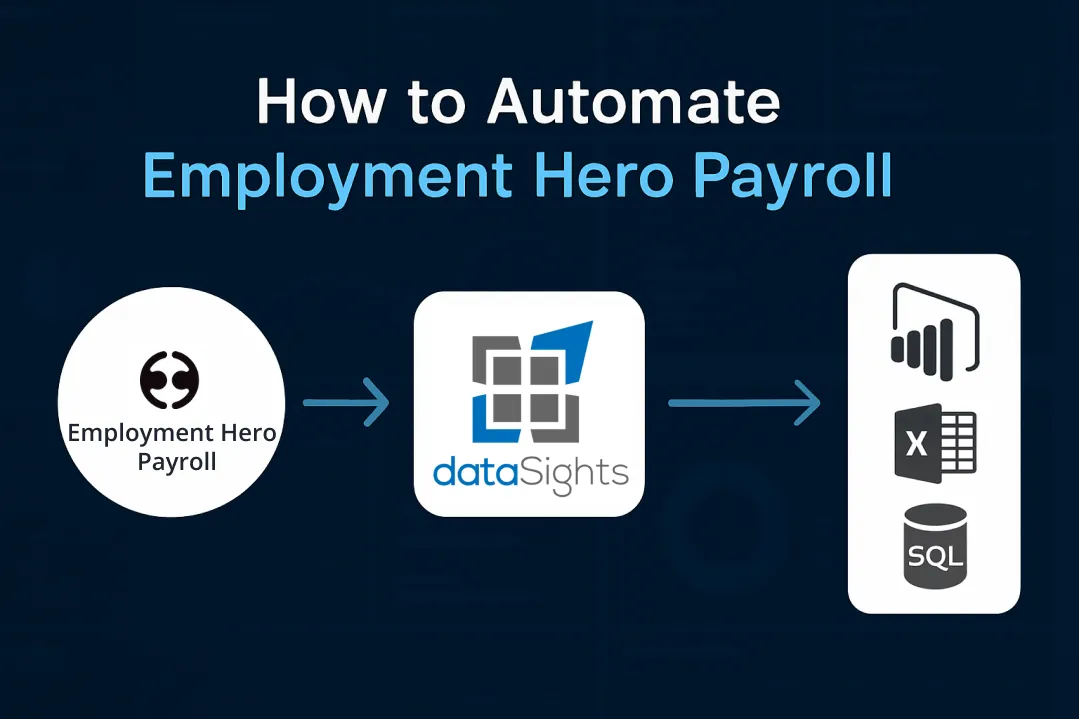
You process Employment Hero Payroll, but then spend hours exporting CSVs, combining data in spreadsheets, and manually building reports your finance team actually needs. You know there’s a better way. Employment Hero Payroll handles pay runs efficiently. But turning that data into reports in Power BI, Excel, or your consolidation tools still needs automation if you want to avoid manual work. This guide shows you exactly how to automate Employment Hero Payroll reporting using SQL databases, Power BI connections, and Excel Power Query – eliminating manual exports while delivering real-time labour cost visibility.
How to Automate Employment Hero Payroll
Automating Employment Hero Payroll means sending your payroll data into a central SQL database. From there, tools like Power BI, Excel, and (optionally) Google Sheets can read the same data automatically. You eliminate manual CSV exports, enable real-time dashboards, and consolidate payroll data into your financial reporting workflows. The core process involves syncing Employment Hero Payroll data to a dedicated SQL database, then connecting your reporting tools to that database for automated refresh and analysis.
Ready to Automate Your Financial Consolidation?
Stop wrestling with manual consolidations and broken formulas. dataSights automates multi-entity reporting, Xero consolidations, and Power BI connections. Join 300+ businesses already transforming their financial reporting with our platform, rated 5.0 out of 5 by 90+ verified Xero users.
Table of Contents
Why Automate Employment Hero Payroll Reporting
Manual payroll reporting wastes time your finance team doesn’t have. You’re exporting CSVs after every pay run, copying data into Excel templates, and spending hours reformatting information that should flow automatically into your financial reports.
Time Savings Through Elimination of Manual Tasks
Industry reports show that pay runs, which once took days or weeks, can be completed much faster when payroll workflows are fully automated. Employment Hero’s own automated pay runs feature handles processing in the background while you focus on strategic tasks, but getting that data into management reports still requires manual work without integration.
Real-Time Labour Cost Visibility
You need to see labour costs as they happen, not weeks after month-end. Automated payroll reporting delivers real-time dashboards showing payroll expenses, tax liabilities, and compensation metrics updated every time payroll finalises. This means you spot cost overruns immediately rather than discovering budget issues too late.
Compliance and Audit Trail Benefits
Manual spreadsheets create gaps in your audit trail. Australian regulators require employers to maintain accurate, up-to-date payroll records, including pay, tax and superannuation details, and to provide compliant pay slips to employees. Automated systems make it easier to keep those records complete and consistent. You get timestamped records showing exactly when data changed, who made adjustments, and what the previous values were.
Multi-Entity Consolidation Capabilities
If you run payroll across multiple Employment Hero Payroll accounts, manual consolidation means exporting from each entity separately, then merging everything in Excel. Automated workflows pull data from all accounts into one database automatically, giving you consolidated labour cost reporting without the manual effort.
How dataSights Automates Employment Hero Payroll Reporting
dataSights connects Employment Hero Payroll to Power BI, Excel, and Google Sheets through fully automated data synchronisation – removing the need for manual exports and enabling genuine real-time analysis.
Dedicated Azure SQL Database Architecture
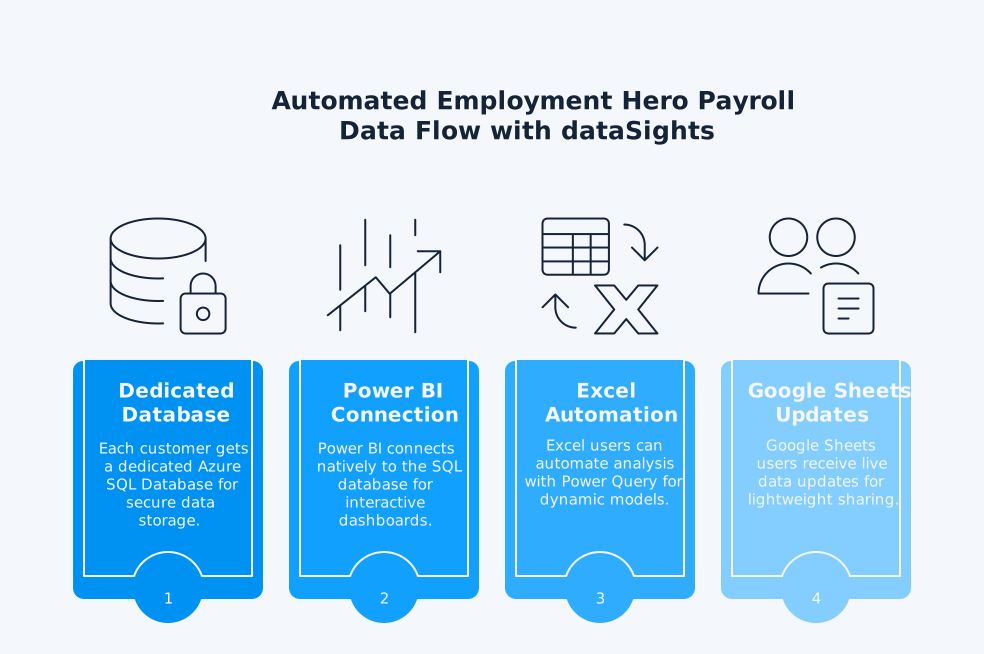
Each dataSights customer receives their own dedicated Azure SQL Database, hosted and managed by dataSights. This database securely stores all Employment Hero Payroll data, including pay runs, employee records, timesheets, and leave balances. For clients with existing infrastructure, dataSights also supports a “bring your own database” option, enabling direct integration with the customer’s Azure SQL environment.
Once Employment Hero Payroll data lands in SQL, it becomes the single source of truth for all reporting and analytics. From there:
- Power BI connects natively to the SQL database, supporting either DirectQuery or Import Mode for interactive dashboards and visualisations
- Excel users can automate analysis using Power Query, building dynamic payroll and labour-cost models that refresh with a single click – no CSVs or copy-paste required
- (Optional) Google Sheets users can receive live data updates as well, with dataSights automatically pushing Employment Hero data into any specified sheet for lightweight sharing and team collaboration
This architecture provides each organisation with secure, scalable, and automated payroll analytics, enabling consistent, multi-entity reporting without manual intervention. With controlled refresh schedules and transparent data pipelines, finance and HR teams gain up-to-date insights while maintaining complete data ownership and governance.
Automated Data Synchronisation Process
dataSights pulls data directly from Employment Hero’s API, which exposes a REST/JSON interface secured with OAuth 2.0 authentication. The system handles:
- Automatic extraction of pay run data after each payroll finalisation
- Incremental syncs that capture only changed records
- Scheduled refresh cycles (configurable from hourly to daily)
- Error handling and retry logic for reliable data delivery
You configure the connection once. After that, every pay run automatically flows into your reporting database without manual intervention.
Integration with Financial Reporting Workflows
Your payroll data doesn’t exist in isolation. It needs to flow into consolidated financial reports, management packs, and board presentations. dataSights enables this by:
- Syncing payroll data alongside your Xero financial data for complete financial consolidation
- Combining Employment Hero Payroll with other operational systems like inventory, CRM, and project management tools
- Providing pre-built SQL views that match standard financial reporting structures
- Supporting custom calculations for fully-loaded labour costs, including superannuation, leave accruals, and on-costs
This means your monthly management pack includes accurate, up-to-date labour costs that reconcile back to source payroll records – no manual reconciliation required.
Connecting Employment Hero Payroll to Power BI, Excel and Google Sheets
You have three main ways to use Employment Hero Payroll data outside your core management reports:
- Excel automation
- Power BI dashboards, and
- Optional Google Sheets integration.
Each serves different workflow preferences.
Power BI Dashboards for Real-Time Payroll Analytics
Employment Hero’s native Power BI connector handles HR data, but not payroll analytics. For true payroll reporting – labour costs, pay run history, overtime trends by department – you need a different approach. dataSights fills this gap by feeding Employment Hero Payroll data into a central SQL database, enabling Power BI reports that refresh automatically after each pay run with complete payroll metrics.
Key capabilities include:
- DirectQuery provides near real-time insights; dashboard tiles refresh up to every 15 minutes, and performance depends on the data source
- Import mode for faster performance with scheduled refresh
- Custom visuals showing labour costs by department, location, or cost centre
- Drill down from summary totals to individual employee details
- Mobile-optimised views for executives reviewing reports on the go
With dataSights’ SQL database approach, you can combine payroll data with financial, operational, and CRM data in unified dashboards. You track labour costs as a percentage of revenue, compare actual payroll expenses to budgeted amounts, and analyse trends across multiple pay periods – capabilities that Employment Hero’s native HR connector cannot deliver for payroll data.
Excel Automation Using Power Query
58% of finance teams still work primarily in Excel. If that’s you, Power Query automation brings Employment Hero Payroll data directly into your spreadsheets without manual exports.
Set up Power Query once to connect to your Employment Hero database. After that:
- Open your Excel workbook
- Click “Refresh All”
- Employment Hero Payroll data updates automatically in your pre-formatted reports
This works for:
- Custom management reports tailored to specific business needs
- Month-end reconciliation workbooks
- Labour cost analysis models
- Budget vs actual variance reporting
- Payroll tax calculations and validation
You maintain complete control over report formatting, calculations, and presentation – Excel just becomes automated instead of manual.
Optional: Google Sheets for Lightweight Collaboration
Google Sheets works well for teams needing basic payroll reporting with easy sharing. dataSights pushes Employment Hero Payroll data directly into specified Google Sheets, enabling:
- Automated daily or weekly payroll summaries
- Simple labour cost dashboards accessible to non-technical users
- Collaborative reporting where multiple team members need simultaneous access
- Quick-reference payroll data for operational managers
While Google Sheets lacks Power BI’s advanced visualisation or Excel’s calculation power, it delivers the simplest sharing and collaboration experience for straightforward payroll reporting needs.
Real-Time Labour Cost Analytics from Employment Hero Payroll
People analytics research shows that workforce data, including payroll and labour costs, can reveal patterns in overtime, labour allocation, and staffing efficiency that support better business decisions.
Labour Cost Allocation by Department and Location
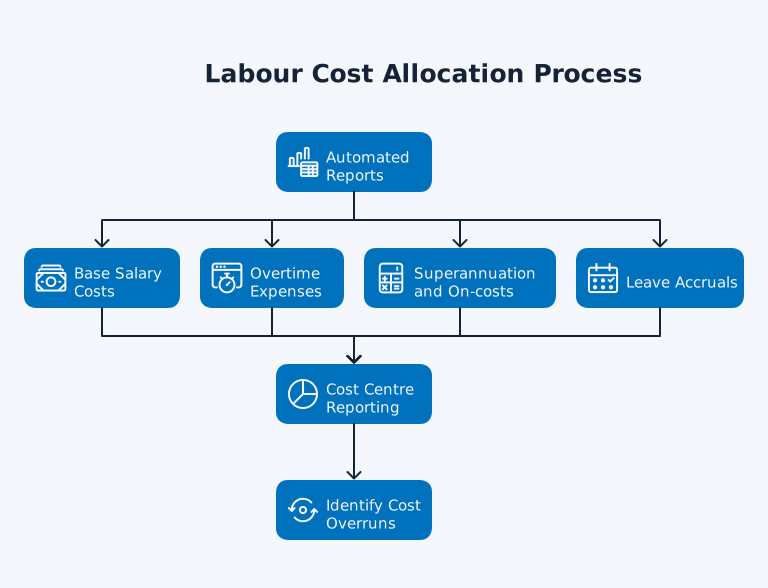
You need to see which departments and locations drive labour costs. Automated reports break down:
- Base salary costs by department
- Overtime expenses by team
- Superannuation and on-costs allocated correctly
- Leave accruals tracked by business unit
This enables accurate cost centre reporting and helps you identify where labour expenses exceed budget. Instead of discovering cost overruns after month-end, you see them as they develop.
Payroll Expense Trending and Forecasting
Research on human capital metrics shows that analysing historical workforce and labour-cost data helps organisations forecast future staffing needs and costs, rather than relying on rough estimates. You can:
- Identify seasonal staffing patterns
- Project the financial impact of planned hires
- Model the cost implications of wage increases
- Forecast superannuation and tax liabilities
Instead of building spreadsheets from scratch each budget cycle, your historical payroll data automatically informs next year’s planning.
Compliance Reporting and Tax Liability Tracking
Payroll compliance requires accurate records of pay, tax withholdings, superannuation contributions, and other statutory obligations. Issue pay slips within one working day of payday, ensuring they are timely, accurate, and include all required details as expected by regulators. Automated systems make it easier to maintain these records consistently and completely, reducing manual effort for compliance reporting and tax liability tracking.
Automated systems track:
- PAYG withholding by employee and pay period
- Superannuation guarantee obligations
- Payroll tax liability accruals
- Single Touch Payroll submission history
You see exactly where you stand on compliance obligations in real-time, rather than scrambling at quarter-end to determine what’s owed.
Employee Cost Analysis and Workforce Planning
Understanding true employee costs guides hiring decisions. Detailed labour cost analysis typically includes:
- Fully-loaded cost per employee (base pay + super + leave accruals + payroll tax)
- Cost per productive hour worked
- Labour efficiency ratios (revenue per employee, labour cost as percentage of revenue)
- Turnover costs and replacement expense tracking
This data answers questions like “Can we afford to hire three more developers?” with actual numbers rather than guesswork.
Frequently Asked Questions
Can dataSights Automate Multiple Employment Hero Payroll Accounts?
Yes, dataSights consolidates data from multiple Employment Hero Payroll accounts into one database. Each account’s data syncs automatically, enabling consolidated reporting across all entities while maintaining individual entity detail for analysis.
What Employment Hero Payroll Subscription Plan Do I Need for Automation?
You need API access, which varies depending on the API and subscription plan. Payroll Classic (KeyPay) API access is available on Standard and Premium payroll plans. However, the separate Employment Hero HR API (OAuth) requires a Platinum subscription or higher. Please contact Employment Hero to confirm API availability and specific requirements on your current plan, as these may vary based on your subscription.
How Often Does Employment Hero Payroll Data Refresh in Power BI?
Refresh frequency depends on your setup. Power BI DirectQuery mode shows near real-time data (queries database on demand, but subject to Microsoft throttling and performance limits). Import mode refreshes on your schedule (hourly, daily, or after each pay run), but is limited to 8 refreshes per day for Pro and up to 48 for Premium. Dataset size and gateway performance may also affect refresh frequency. dataSights configures refresh schedules based on your reporting requirements and in line with Microsoft’s Power BI service limits.
Does This Replace Employment Hero Payroll's Native Reporting?
No, this extends it. Employment Hero Payroll’s native reports handle compliance requirements like Single Touch Payroll submissions and payslip generation. dataSights automation adds financial analysis, consolidation across entities, and integration with your broader financial reporting workflows.
Can I Still Use Excel if I Automate with Power BI?
Absolutely. Many finance teams use both: Power BI for interactive dashboards and executive reporting, Excel for detailed analysis and month-end reconciliations. Power Query brings Employment Hero data into Excel with the same automated refresh as Power BI.
How Does This Handle Leave Accruals and Superannuation Calculations?
dataSights pulls complete payroll data, including leave balances, accrual calculations, and superannuation contributions. You can report on leave liability, track super guarantee obligations, and analyse fully-loaded labour costs that include all statutory on-costs.
What Security Measures Protect Employment Hero Payroll Data?
dataSights uses Azure SQL Database with 256-bit encryption, multi-factor authentication, and role-based access controls. OAuth 2.0 handles Employment Hero API authentication. Data remains encrypted in transit and at rest, meeting enterprise security requirements.
Can This Integrate with Our Existing Xero Financial Reporting?
Yes, dataSights consolidates Xero data alongside Employment Hero Payroll, enabling unified financial reporting that combines accounting and payroll information. You get consolidated P&L including fully-loaded labour costs, all reconciled back to source systems.
Transform Employment Hero Payroll Into Real-Time Financial Intelligence
You’ve spent enough time on manual payroll exports. Employment Hero Payroll processes pay efficiently – now automate the reporting that follows. No more CSV exports, no more Excel reconciliation headaches, no more discovering cost overruns weeks too late.
Automate Employment Hero Payroll Reporting with dataSights
Ready to eliminate manual payroll reporting? dataSights automates Employment Hero Payroll data into Power BI, Excel, and SQL databases. Get real-time labour cost dashboards, automated month-end consolidation, and financial reporting that actually works. Rated 5.0 out of 5 by 90+ users. Join 300+ businesses who’ve already transformed their payroll reporting.
About the Author
Kevin Wiegand
Founder & Client happiness
I’m Kevin Wiegand, and with over 25 years of experience in software development and financial data automation, I’ve honed my skills and knowledge in building enterprise-grade solutions for complex consolidation and reporting challenges. My journey includes developing custom solutions for data teams at Gazprom Marketing & Trading and E.ON, before founding dataSights in 2016. Today, dataSights helps over 300 businesses achieve 100% report automation. I’m passionate about sharing my expertise to help CFOs and Financial Controllers reduce their month-end close time and eliminate the manual Excel exports that drain their teams’ valuable time.