
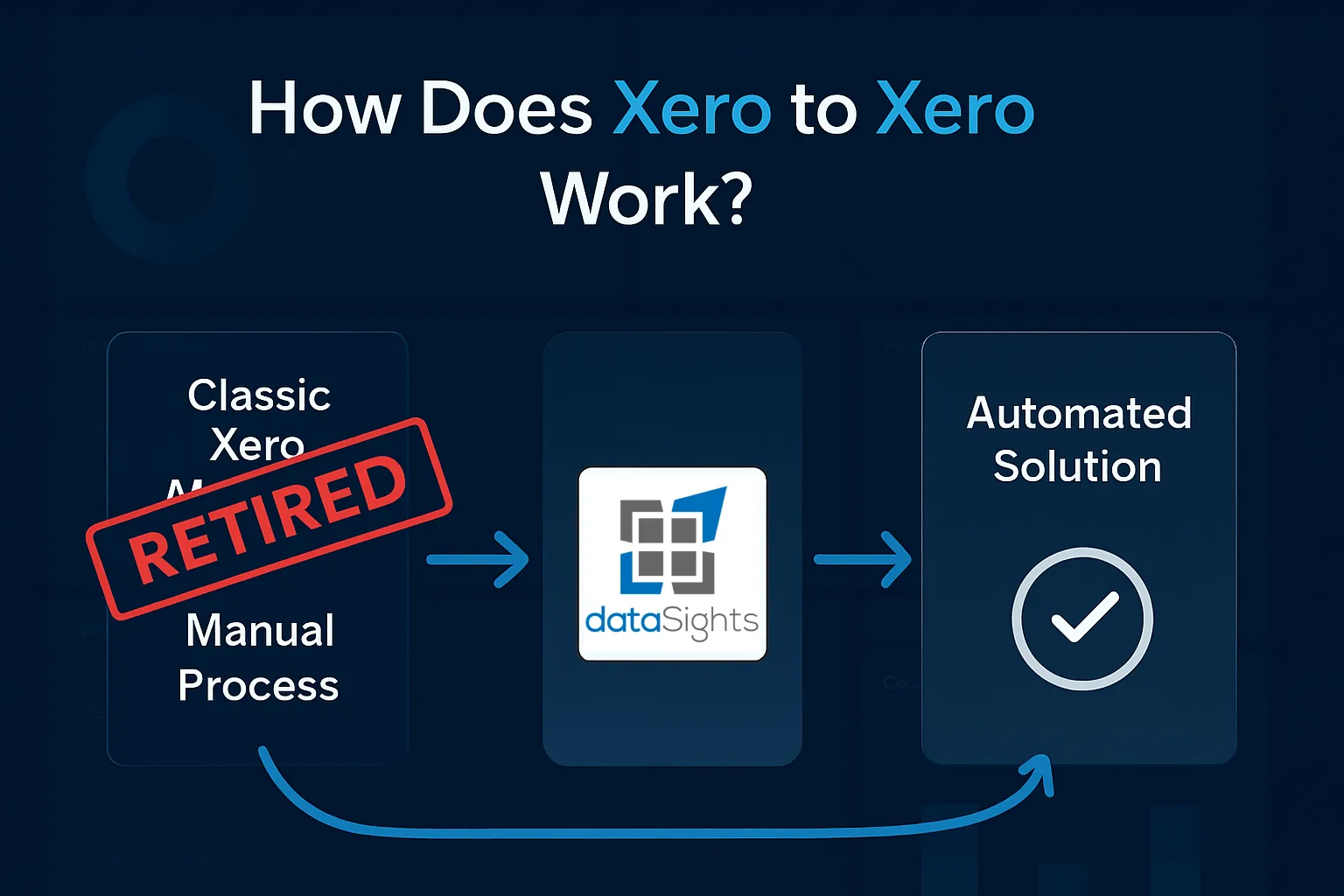
Your inter-company invoices are piling up. You’re copying data from one Xero account, switching tabs, and manually entering it into another. Each transaction takes 15 minutes when it should take seconds. If you’re asking how does Xero to Xero work, you’ve discovered the feature that promised to solve this – except it was retired with classic invoicing on 27 February 2025.
How Does Xero to Xero Work?
Xero to Xero connections were established through a unique network key system, which directly connected two Xero organisations. When you sent an invoice through this network, it automatically appeared as a draft bill in your customer’s Xero account – no manual data entry required. The feature retired when Xero discontinued classic invoicing on 27 February 2025.
Ready to Automate Your Financial Consolidation?
Stop wrestling with manual consolidations and broken formulas. dataSights automates multi-entity reporting, Xero consolidations, and Power BI connections. Join 300+ businesses already transforming their financial reporting with our platform, rated 5.0 out of 5 by 90+ verified Xero users.
Table of Contents
The Impact of Xero to Xero Retirement
The retirement hit multi-entity businesses hard. One frustrated user managing 30 entities noted: “We currently manage 30 entities through Xero, and send invoices between these entities every single day. The fact that Xero has retired this feature, whilst simultaneously increasing fees, is ludicrous.”
Despite extending classic invoicing availability to accommodate users, Xero confirmed the network feature wouldn’t transition to new invoicing. This left businesses scrambling for alternatives to handle their inter-company transactions efficiently.
What Xero to Xero Actually Did
Before its retirement, the Xero network provided:
- Automatic invoice transfer between connected Xero accounts
- Draft bill creation in the receiving account
- Elimination of manual data entry for inter-company transactions
- Secure transfer without sharing login credentials
- Preservation of invoice details and coding flexibility
The simplicity was its strength – exchange network keys, connect accounts, and invoices flowed automatically between entities.
Manual Workarounds: The Temporary Fix
With Xero to Xero gone, businesses resort to manual processes:
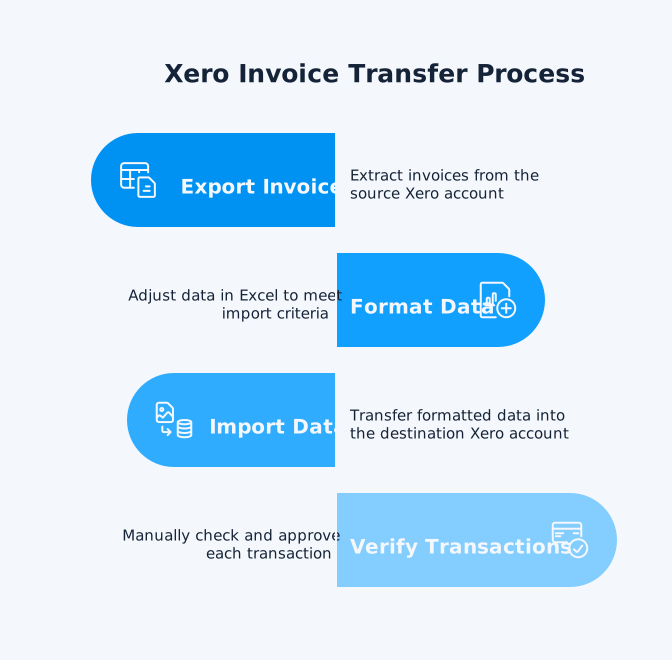
Export and Import Method:
- Export invoices from the source Xero account
- Format data in Excel to match import requirements
- Import into the destination Xero account
- Manually verify and approve each transaction
This approach has significant drawbacks. As noted by Mayday, “manually consolidating the financial data of multiple entities can be difficult and time-consuming… It’s a laborious and fiddly process, and even the most diligent accountants are prone to human error.”
E-invoicing Limitations: While Xero promoted e-invoicing as an alternative, users report it doesn’t work well for inter-company transactions, particularly for businesses operating across different countries or with separate trust funds.
Professional Inter-Company Accounting Solutions
Leading accounting software for intercompany transactions now includes purpose-built features Xero lacks:
Sage Intacct stands out as the only ERP recommended by the American Institute of Certified Public Accountants, offering:
- Real-time financial consolidation
- Automatic inter-company eliminations
- Multi-entity and multi-currency support
- Over 150 pre-built financial reports
NetSuite provides a full-scale ERP platform with:
- Unified system for all inter-company transactions
- Best practices implementation at subsidiary and parent levels
- Highly customisable dashboards
- International capabilities for global operations
QuickBooks Enterprise offers a more accessible option with inter-company features through its advanced inventory and customisation capabilities.
API-Based Integration: The Technical Alternative
For businesses comfortable with technical solutions, Xero’s API enables custom integrations between accounts:
Direct API Integration Benefits:
- Automated data synchronisation between Xero accounts
- Custom workflow creation for specific business needs
- Real-time transaction updates
- Scalable to handle high transaction volumes
Integration platforms like Pipedream enable:
- Automated invoice processing between accounts
- Custom workflow triggers based on business rules
- Connection to other business systems beyond Xero
- Webhook support for instant notifications
However, API solutions require technical expertise and ongoing maintenance – not ideal for finance teams already stretched thin.
While these alternatives offer various approaches to inter-company accounting, businesses specifically looking to replicate and enhance their Xero to Xero workflows need a solution designed for Xero’s ecosystem.
dataSights: Purpose-Built Multi-Entity Automation
While generic alternatives exist, dataSights specifically addresses the gap left by Xero to Xero’s retirement with advanced multi-entity capabilities.
Automated Consolidation That Actually Works
dataSights pulls data from multiple Xero accounts into a single consolidated database. This provides comprehensive reporting and analysis capabilities, though the actual posting of transactions back to Xero follows standard API limitations.
- Real-time consolidation across all entities
- Automatic elimination entries
- Journal adjustments without manual intervention
- Balance sheet reconciliation that actually balances
Users report reducing the month-end close from over 10-15 days to 5 days, addressing the exact pain point Xero to Xero users now face.
Beyond Simple Invoice Transfer
Unlike Xero to Xero’s limited invoice-only functionality, dataSights provides comprehensive data workflow automation:
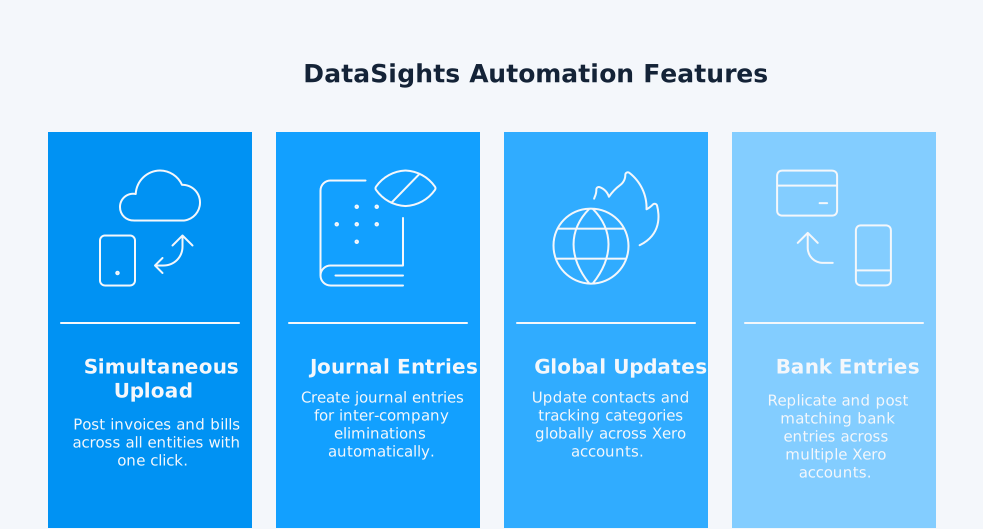
Upload to multiple Xeros simultaneously:
- Post invoices and bills across all entities with one click
- Create journal entries for inter-company eliminations
- Update contacts and tracking categories globally
- Replicate and post matching bank entries across multiple Xero accounts (Note: dataSights replicates bank transaction data by posting matching entries to multiple Xero accounts, ensuring consistency across entities. This creates corresponding entries rather than migrating reconciled bank statements directly between accounts.)
Advanced Mapping Capabilities: Extend beyond Xero’s two tracking categories with custom mappings. These mappings enhance your reporting and analysis capabilities, working within the framework of Xero’s existing data structure and API capabilities:
- Entities and departments
- Customers and suppliers
- Account codes
- Products and services
Integration with Your Existing Tools
dataSights doesn’t force you into new software. The platform integrates with:
- Excel (with Power Query automation)
- Power BI (direct query or import mode)
- Google Sheets (real-time updates)
- Custom SQL queries for specific needs
This flexibility allows finance teams to continue using familiar tools while reaping the benefits of automation.
Here’s how automated consolidation transforms multi-entity workflows, showing exactly how data flows between Xero accounts without manual intervention.
Frequently Asked Questions
Is Xero to Xero still available in 2025?
No, Xero to Xero retired on 27 February 2025 when classic invoicing was discontinued. The feature is no longer available in Xero’s new invoicing system.
What exactly did Xero to Xero do?
Xero to Xero allowed direct invoice transfer between Xero accounts using network keys. Invoices sent from one account appeared automatically as draft bills in the connected account.
Can I still transfer data between Xero accounts?
Yes, through manual export/import, API integrations, or third-party platforms like dataSights that automate multi-entity data transfer.
Why did Xero retire the network feature?
Xero consolidated to one invoicing platform for stability and faster feature development. The legacy network system wasn’t compatible with the new technology infrastructure.
What's the fastest alternative to Xero to Xero?
Automated platforms like dataSights offer the fastest solution, consolidating data from multiple entities in real-time, versus manual methods that can take hours.
Do I need technical skills for alternatives?
Basic alternatives, such as manual export/import, require Excel skills. API solutions need programming knowledge. Platforms like dataSights are designed for finance teams without technical requirements.
What about multi-currency transactions?
Most professional alternatives, like dataSights, support multi-currency with automatic FX conversions – functionality that Xero to Xero never offered.
Can dataSights directly migrate reconciled bank transactions between Xero accounts?
dataSights replicates bank transaction data by posting matching entries across multiple Xero accounts, maintaining consistency between entities. It doesn’t migrate already-reconciled bank statements directly via API, but rather ensures corresponding entries exist where needed for accurate multi-entity reporting.
How does dataSights compare to the original Xero to Xero network key system?
dataSights provides a broader workflow solution that handles the data transfer functionality you relied on with Xero to Xero. While it doesn’t use the network key system, it automates more complex multi-entity workflows including consolidations, eliminations, and reporting across 30+ entities – capabilities that went beyond Xero to Xero’s invoice-only focus.
Moving Forward Without Xero to Xero
The retirement of Xero to Xero marks the end of a limited but straightforward solution. While its loss frustrates businesses managing multiple entities, it’s created an opportunity for more comprehensive automation. Modern alternatives don’t just replace invoice transfer – they transform entire consolidation workflows. Finance teams spending days on manual reconciliation can reclaim that time for analysis and strategic work. The key is choosing a solution that matches your transaction volume and grows with your business needs
Transform Your Multi-Entity Xero Management Today
Stop wasting hours on manual data entry between Xero accounts. dataSights provides a comprehensive workflow-based alternative that replicates the data transfer capabilities of Xero to Xero – and extends far beyond just invoices. While it doesn’t use the original network key system, it automates posting to multiple Xeros, eliminates intercompany journals, and handles complete financial consolidation with auto-eliminations. Rated 5.0 by 90+ users, join 300+ businesses who’ve already automated their multi-entity workflows.
About the Author
Kevin Wiegand
Founder & Client happiness
I’m Kevin Wiegand, and with over 25 years of experience in software development and financial data automation, I’ve honed my skills and knowledge in building enterprise-grade solutions for complex consolidation and reporting challenges. My journey includes developing custom solutions for data teams at Gazprom Marketing & Trading and E.ON, before founding dataSights in 2016. Today, dataSights helps over 300 businesses achieve 100% report automation. I’m passionate about sharing my expertise to help CFOs and Financial Controllers reduce their month-end close time and eliminate the manual Excel exports that drain their teams’ valuable time.