
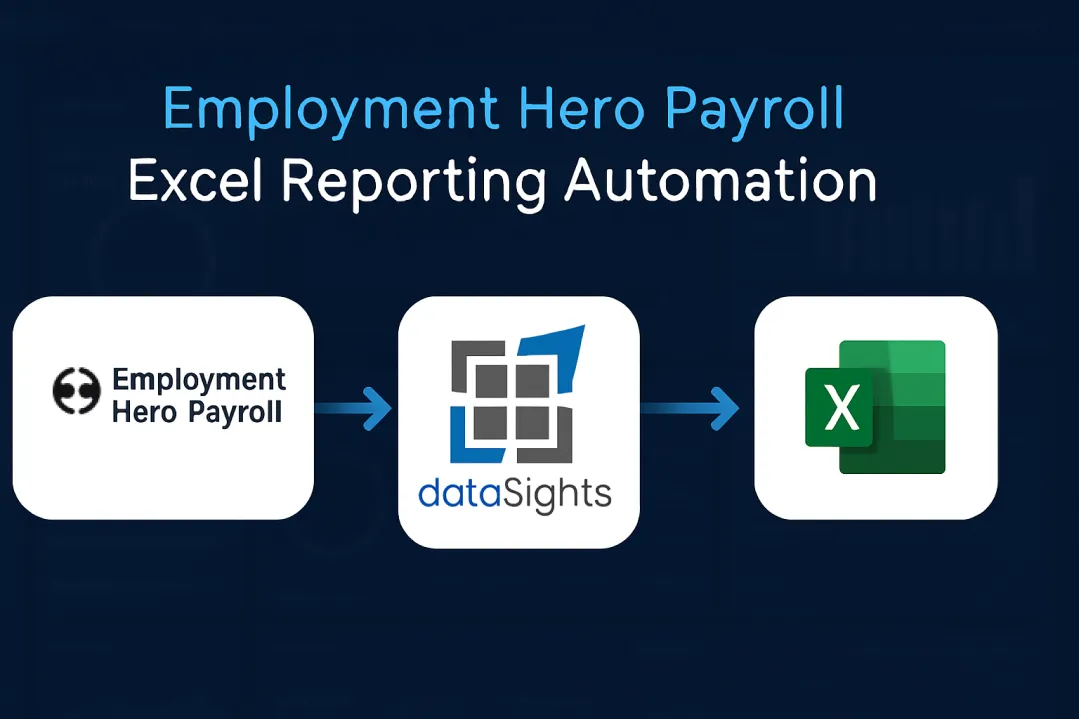
You export CSVs from Employment Hero Payroll, manually import to Excel, format columns, fix errors, and then repeat next week. Manual payroll administration is time-consuming, and errors attract penalties – in the UK, HMRC can penalise late or inaccurate RTI submissions, and in Australia, employers must keep accurate pay records for seven years to avoid fines. Employment Hero Payroll Excel reporting automation connects your payroll directly to Excel with scheduled refresh, eliminating manual exports and reducing reporting time from hours to minutes. Create your payroll reports once – after that, scheduled refresh keeps them current without manual updates.
Understanding Employment Hero Payroll Excel Reporting Automation
Employment Hero Payroll Excel reporting automation connects your payroll system directly to Excel through automated data sync, eliminating manual CSV exports and reducing reporting time from hours to minutes. dataSights automates Employment Hero Payroll data into Excel with scheduled refresh, enabling real-time payroll analysis without manual intervention.
Ready to Automate Your Financial Consolidation?
Stop wrestling with manual consolidations and broken formulas. dataSights automates multi-entity reporting, Xero consolidations, and Power BI connections. Join 300+ businesses already transforming their financial reporting with our platform, rated 5.0 out of 5 by 90+ verified Xero users.
Table of Contents
Why Manual Employment Hero Payroll Reporting Wastes Time
Manual payroll reporting creates a cycle of repetitive work that compounds with every pay run.
The Manual Export Process
Every pay run follows the same tedious workflow:
- Log into Employment Hero Payroll and navigate to Reports
- Select date range and choose CSV export format
- Download the file and open Excel
- Import CSV and format columns manually
- Remove duplicates and add formulas
- Update pivot tables and save the file
Repeat weekly or monthly. Multiply across five entities, and you’re spending hours on data preparation instead of analysis.
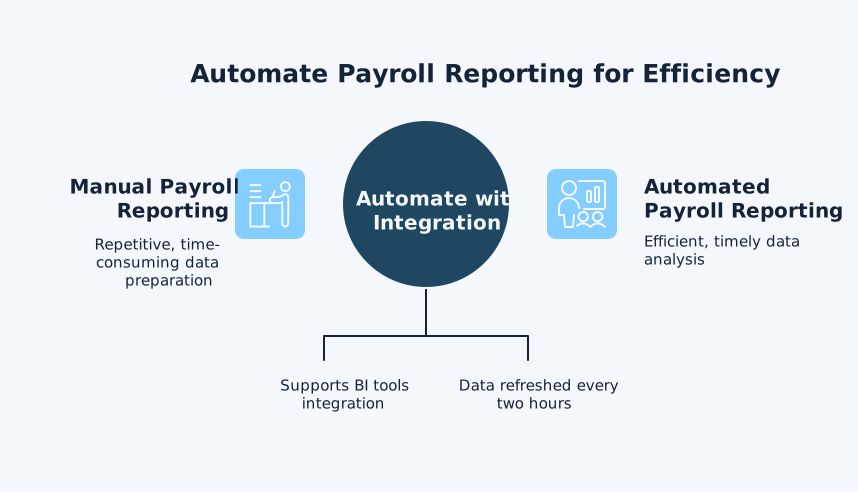
Employment Hero’s official integration exports to SQL and supports BI tools, with data refreshed every two hours – automated platforms remove the manual API setup and modelling.
Three Critical Problems
- Manual data entry introduces errors: Payroll errors create real costs – from rework to regulatory penalties. HMRC can issue penalties for late RTI filings, while the Fair Work Ombudsman enforces record-keeping and pay-slip rules with potential fines for breaches. A single transposed digit in a labour cost report can misrepresent department profitability by thousands.
- Static reports become outdated immediately: You build a report on Monday using Friday’s data. By Wednesday, it’s already wrong. Finance teams make decisions on stale information because updating reports manually takes too long.
- Multi-entity consolidation multiplies the problem: Running payroll across five entities means five separate CSV exports, five manual imports, five formatting sessions, then manual consolidation with entity eliminations. What should take minutes requires hours.
How Employment Hero Payroll Excel Automation Works
dataSights delivers board-ready Management Reports on our web platform; Excel automation is ideal when teams prefer spreadsheet-based models, and Power BI serves advanced visualisation needs. Automated reporting replaces manual exports with direct database connections.
Direct Data Connection
dataSights connects Employment Hero Payroll to Excel through secure API integration. Your payroll data flows directly into Excel without CSV files or manual steps. Configure the connection once, then reports update automatically on your schedule.
The connection pulls complete payroll data: employee records, pay runs, leave balances, superannuation, tax calculations, and cost centre allocations. All tables link relationally, enabling complex analysis across pay periods and entities.
Scheduled Automatic Refresh
Set your refresh schedule – daily, weekly, or after each pay run. Excel updates automatically at the specified time, pulling the latest Employment Hero Payroll data. Reports, dashboards, and pivot tables refresh simultaneously, ensuring all stakeholders see current information.
Employment Hero’s Power BI integration refreshes data every 2 hours for near-real-time analysis. Excel automation through dataSights provides similar capabilities, with refresh schedules configured to match your reporting cadence.
Build Reports Once, Use Forever
Create your payroll reports in Excel:
- Labour cost analysis
- Department comparisons
- Leave liability tracking
- Superannuation summaries.
Format them exactly as needed. Add your formulas, conditional formatting, and charts.
Those reports now update automatically with each refresh. No reformatting. No formula fixes. No manual updates. Build the report once, then focus on analysing results rather than preparing data.
Multi-Entity Payroll Consolidation in Excel
Managing payroll across multiple entities requires consolidated reporting that manual processes can’t deliver efficiently.
Automated Entity Consolidation
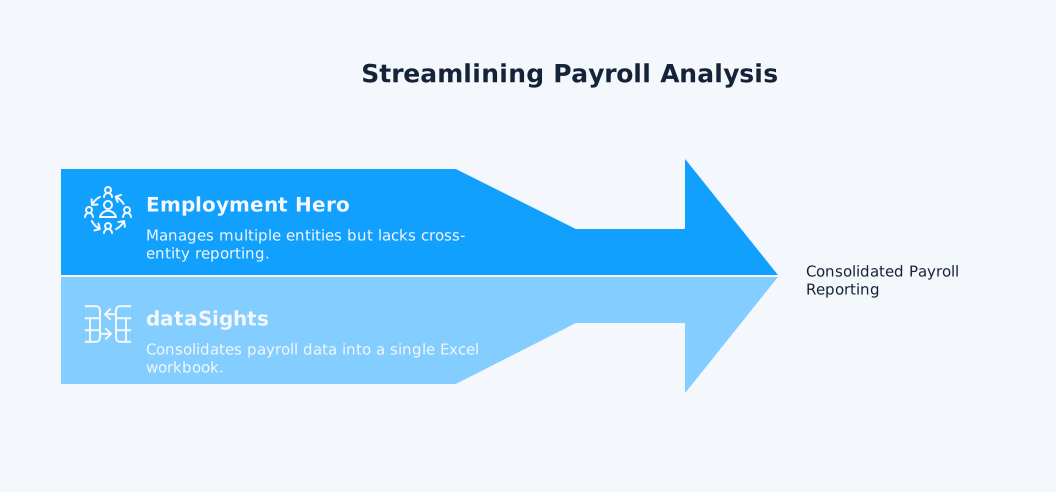
Employment Hero supports additional employing entities within a single payroll file, allowing businesses to manage multiple ABNs while streamlining payroll processing. However, native reporting limitations make cross-entity analysis difficult.
dataSights consolidates payroll data from all Employment Hero entities into a single Excel workbook. You can do the following – all without manual consolidation:
- View labour costs across your entire business structure
- Compare department performance between entities
- Analyse leave liabilities group-wide
Entity-Level and Group-Level Views
Drill down to individual entity details or roll up to group-level summaries. Track which entities drive labour cost variances, identify anomalies across businesses, and monitor consistently across your structure.
Employment Hero’s December 2024 update introduced the ability to filter Custom Reports by employing entity and split Chart of Accounts reports by business entities. Automated Excel reporting extends these capabilities with scheduled refresh and historical tracking.
Key Reporting Capabilities Automated in Excel
Employment Hero Payroll Excel automation delivers specific reporting outputs that manual processes struggle to maintain.
Labour Cost Analysis
- Track labour costs by department, project, location, or employee.
- Compare actual spend to budget.
- Identify cost overruns before they compound.
Automated refresh ensures labour cost reports reflect current payroll immediately after each pay run.
Build variance reports showing current period vs prior period, actual vs budget, or entity vs group averages. Conditional formatting highlights exceptions automatically, focusing attention where intervention is needed.
Leave Liability Tracking
- Monitor accumulated leave balances across employees and entities.
- Calculate total leave liability for financial reporting.
- Track leave trends to identify patterns and plan coverage.
Employment Hero integrates leave management with payroll processing, making leave data accessible for automated reporting. Refresh schedules ensure leave liability reports stay current without manual data extraction.
Payroll Tax and Superannuation Summaries
- Automate tax withholding summaries
- Superannuation obligation tracking
- Payroll tax calculations
Ensure compliance reporting accuracy by eliminating manual transcription errors.
- Track superannuation by fund
- Monitor contribution timing
- Identify discrepancies between calculated and actual amounts.
Employment Hero’s Beam integration handles super clearing house processing, with automated reporting, tracking each step.
Historical Trend Analysis
Build month-over-month and year-over-year comparisons automatically. Track labour cost trends, headcount changes, average pay rates, and turnover impacts. Historical data accumulates without manual consolidation.
Power BI Integration for Advanced Analytics
Excel handles most payroll reporting needs. Power BI extends capabilities for teams requiring interactive dashboards and advanced visualisation.
When Power BI Adds Value
Power BI suits scenarios requiring real-time dashboards, drill-down capabilities across large datasets, or automated distribution to multiple stakeholders. Finance teams managing complex cost centre structures or tracking project profitability benefit from Power BI’s interactive filtering.
Employment Hero’s official Power BI integration provides near real-time data refresh and SQL database export compatibility. However, users report implementation challenges, including “steep learning curve due to unintuitive user interface for new users” and “limited options to customise pay run reports for specific business needs.”
dataSights simplifies Power BI connections, handling API authentication, data modelling, and refresh scheduling.
dataSights connect and manage the Power BI environment by:
-
Simplifying Power BI integration
-
Handling API authentication for secure connections
-
Streamlining data modelling processes
-
Automating refresh scheduling for reliable data updates
Connect once, then build dashboards that update automatically.
Combined Excel and Power BI Workflows
Many finance teams use both tools strategically.
Excel for:
- Detailed analysis
- Budgeting
- Variance calculations
Power BI for:
- Executive dashboards
- Real-time monitoring
- Team-wide visibility
Automated data sync to both platforms ensures consistency. Analyse detailed payroll transactions in Excel while sharing high-level KPI dashboards in Power BI – both pulling from the same Employment Hero Payroll source.
Implementation: From Manual to Automated Reporting
Transitioning from manual CSV exports to automated reporting follows a structured process.
Step 1: Audit Current Reports
Document every payroll report your team produces. Identify which reports require weekly updates, monthly refreshes, or quarterly reviews. Note manual processes:
- CSV exports
- Data formatting
- Formula updates
- Consolidations.
Calculate time spent on each report. Measure the baseline: hours per week on payroll reporting, reports produced, stakeholders served.
Step 2: Design Automated Report Templates
- Recreate essential reports in Excel with proper structure for automated refresh.
- Use tables instead of static ranges.
- Build formulas referencing table columns.
- Create pivot tables from source data tables.
Design for automation: Assume data will refresh automatically, so reports must handle variable row counts, new employees, and changing pay periods without manual intervention.
Step 3: Configure Data Connection
Connect Employment Hero Payroll to dataSights, which then syncs to Excel.
- Authenticate once with your Employment Hero credentials.
- Select which data tables to sync (Pay runs, Employees, Leave balances, Superannuation, Cost centres)
- Set your refresh schedule (daily, weekly, or post-finalisation of each pay run)
Step 4: Test and Validate
- Run initial refresh.
- Verify data accuracy by comparing automated reports to manual reports.
- Check formulas calculate correctly with refreshed data.
- Confirm pivot tables update automatically.
- Test drill-down functionality across entities.
Validate multi-entity consolidation if applicable. Ensure entity totals match source systems. Verify eliminations process correctly if tracking intercompany transactions.
Step 5: Deploy and Train
- Roll out automated reports to stakeholders.
- Train team members to refresh reports on demand if needed.
- Document the new process:
- Which reports update automatically
- Refresh schedules
- Troubleshooting steps
- Monitor initial deployment.
- Track time savings.
- Measure accuracy improvements.
- Gather feedback from report users.
Frequently Asked Questions
Can Employment Hero Payroll Export Directly to Excel Without Third-Party Tools?
Employment Hero Payroll offers CSV export functionality for employee data and pay runs, but these exports require manual download, import, and formatting in Excel. There’s no native direct Excel connection with automatic refresh. Third-party integration platforms handle automated sync between Employment Hero Payroll and Excel.
Does Automated Reporting Work With Multiple Employment Hero Payroll Accounts?
Yes. Automated reporting consolidates data from multiple Employment Hero Payroll accounts into a single Excel workbook or Power BI dashboard. Each account syncs to the same database, with data stored in separate schemas for entity-level analysis while enabling cross-entity consolidation.
How Often Does Automated Reporting Refresh Employment Hero Payroll Data?
Refresh frequency depends on your configuration. dataSights supports on-demand refresh, scheduled daily refresh, or automatic refresh after each pay run finalisation. Employment Hero’s Power BI/SQL export refreshes data every two hours. In Power BI, scheduled refresh is up to 8 times/day on Pro and up to 48 times/day on Premium/PPU.
What Happens to Existing Employment Hero Payroll Reports When Automating?
Existing reports remain accessible in Employment Hero Payroll. Automated Excel reporting doesn’t replace native Employment Hero reports – it extends capabilities by enabling custom analysis, multi-entity consolidation, and historical trending that manual CSV exports can’t efficiently deliver.
Can Automated Reporting Handle Employment Hero Payroll Custom Fields and Cost Centres?
Yes. Automated sync pulls all Employment Hero Payroll data, including custom fields, cost centre allocations, tracking categories, and custom leave types. These fields become available in Excel for filtering, grouping, and analysis within your automated reports.
Does Automated Reporting Require API Development Skills?
No. Automated reporting through dataSights requires no coding or API development. Excel automation uses Power Query (also available in Power BI) to land and shape data for refreshable reports. Configure the connection through a user interface, select which data to sync, set refresh schedules, then build reports in Excel using familiar tools like pivot tables and formulas.
How Does Automated Reporting Handle Employment Hero Payroll Data Security?
Automated reporting uses secure API connections with encryption and role-based access controls. Data transmits securely between Employment Hero Payroll and your Excel environment. Access permissions control which team members view specific reports or data subsets.
Transform Your Employment Hero Payroll Reporting Today
Stop spending hours on manual CSV exports. Your finance team deserves better than copy-paste workflows and stale data. Employment Hero Payroll Excel reporting automation delivers real-time insights without manual intervention. Automated reporting cuts payroll reporting time from hours to minutes. Build reports once, then let them update automatically. Focus on analysing results rather than preparing data. Handle multi-entity consolidation without manual processes.
Automate Your Employment Hero Payroll Reporting with dataSights
Start with board-ready Management Reports in the dataSights web platform, then extend to Excel or Power BI where you need custom models and visuals. Rated 5.0 out of 5 by 90+ users.
About the Author
Kevin Wiegand
Founder & Client happiness
I’m Kevin Wiegand, and with over 25 years of experience in software development and financial data automation, I’ve honed my skills and knowledge in building enterprise-grade solutions for complex consolidation and reporting challenges. My journey includes developing custom solutions for data teams at Gazprom Marketing & Trading and E.ON, before founding dataSights in 2016. Today, dataSights helps over 300 businesses achieve 100% report automation. I’m passionate about sharing my expertise to help CFOs and Financial Controllers reduce their month-end close time and eliminate the manual Excel exports that drain their teams’ valuable time.