
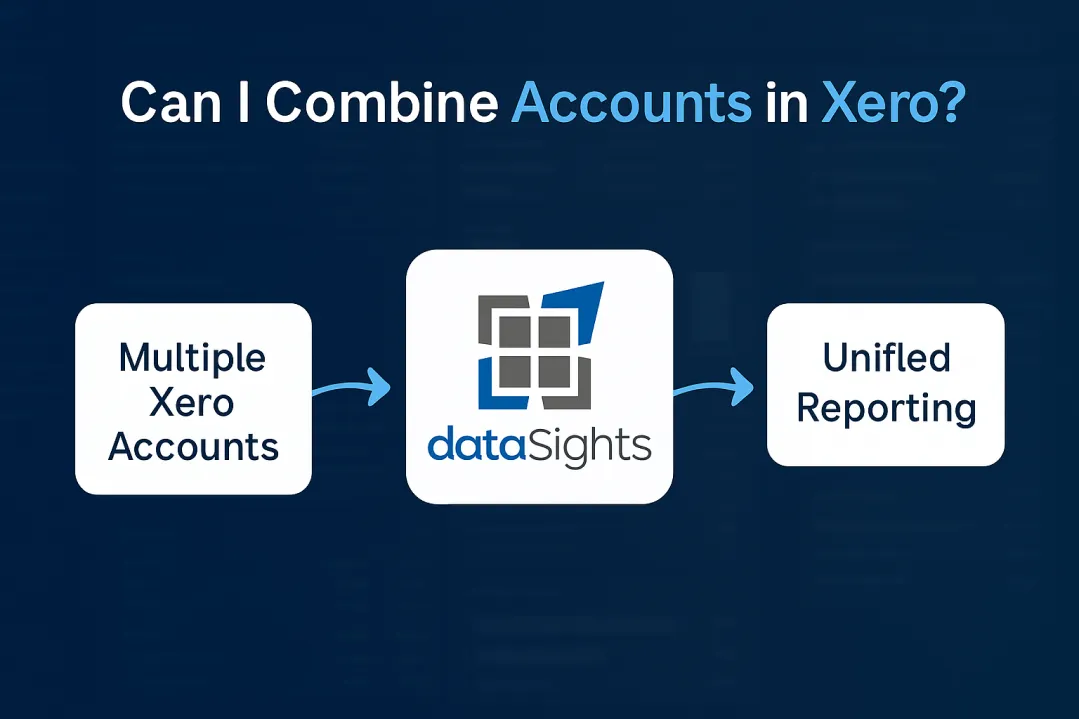
Can I combine accounts in Xero? It’s one of the most common questions finance teams ask when dealing with duplicate expense accounts or multiple entities. You’re facing hours of manual work because Xero lacks native account merging functionality, which forces you to export data and manually manipulate spreadsheets. Whether you’ve inherited a messy Chart of Accounts or manage multiple companies needing consolidation, this guide reveals exactly what’s possible – and the automated solutions that cut consolidation time from 15+ days to under 5.
Can I Combine Accounts in Xero?
Ready to Automate Your Financial Consolidation?
Stop wrestling with manual consolidations and broken formulas. dataSights automates multi-entity reporting, Xero consolidations, and Power BI connections. Join 300+ businesses already transforming their financial reporting with our platform, rated 5.0 out of 5 by 90+ verified Xero users.
Table of Contents
The Current State: Why Xero Doesn’t Merge Accounts
Xero has confirmed that there are no current plans to add account merging functionality, despite it being one of the most requested features, with over 400 votes from users. This limitation affects thousands of businesses trying to clean up their Chart of Accounts after:
- Previous accountants created duplicate expense categories
- Staff members are accidentally creating new accounts instead of using existing ones
- Business restructures requiring account consolidation
- Converting from other accounting systems with different account structures
The impact? Finance teams spend hours manually moving transactions between accounts, risking errors and losing valuable time that could be spent on analysis.
Why This Matters for Your Business
When you can’t combine accounts efficiently, every duplicate creates ongoing problems:
- Financial reports show split data across similar accounts
- Bank rules may post to the wrong account
- Month-end reconciliations become unnecessarily complex
- Historical comparisons require manual data combination
For businesses managing multiple entities, the challenge multiplies exponentially.
Find & Recode: Xero’s Manual Workaround
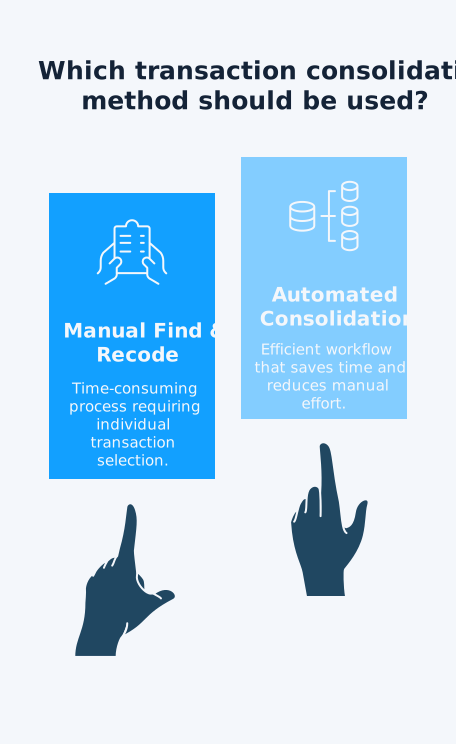
Xero offers Find & Recode as a partial solution, but it comes with significant limitations:
How Find & Recode Works
Users with advisor-level access can go to Accounting > Advanced > Find and Recode. The process involves:
- Adding conditions to search for specific transactions (by account, date, contact, etc.)
- Selecting the transactions from the search results
- Clicking “Recode” and choosing the new account
- Reviewing and confirming the changes
Once transactions are moved, you can archive the empty account to prevent future use.
Critical Limitations
Find & Recode doesn’t work for:
- Fixed assets
- Purchase orders or quotes
- Bank transfers or overpayments
- Payroll transactions (including wages, payable bills, payslips, and PDs)
- Voided transactions
- Any line of a purchase transaction that contains tracked inventory (account type = inventory)
The process requires selecting transactions individually or in groups, making it time-consuming for accounts with extensive transaction history. One user reported spending “hours picking transactions apart” when trying to consolidate accounts.
Managing Multiple Companies in Xero
You can add multiple Xero organisations to your account, each requiring its subscription. While Xero offers automatic discounts for multiple organisations, the real challenge isn’t cost – it’s consolidation.
The Multi-Entity Reality
Each Xero organisation operates independently with:
- Separate Chart of Accounts
- Individual bank feeds
- Isolated financial data
- No native consolidation features
Manual consolidation requires exporting data from each entity and combining in Excel. This process becomes increasingly complex with:
- Currency conversions
- Intercompany eliminations
- Timing differences
- Transaction matching across entities
Common Multi-Entity Scenarios
Finance teams typically face these situations:
- Parent companies with multiple subsidiaries
- Franchise operations need group reporting
- International businesses with local entities
- Businesses separated for tax or legal purposes
Without automated consolidation, each scenario requires extensive manual work.
The Hidden Cost of Manual Account Consolidation
The true cost of manual consolidation goes beyond subscription fees:
Time Investment
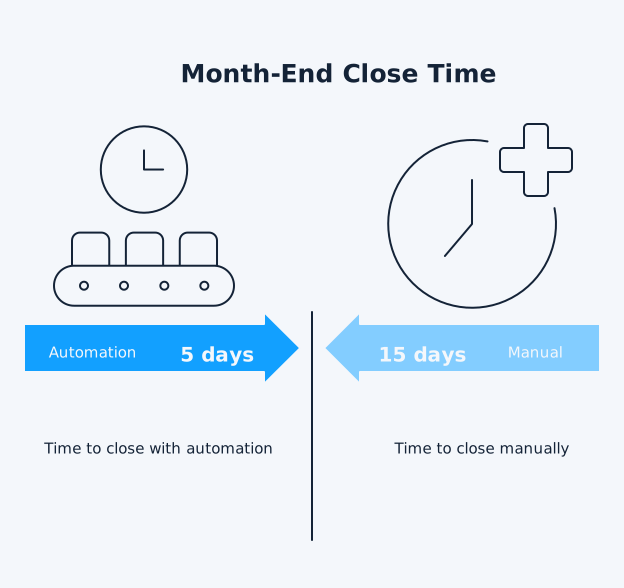
Manual consolidation can extend month-end close from 5 days to over 15 days. For a finance team, that’s:
- 10+ extra days of manual work monthly
- 120+ days annually spent on consolidation
- Delayed financial insights for decision-making
- Increased risk of errors requiring rework
Error Rates and Reconciliation Issues
Manual processes introduce multiple error points:
- Excel formula mistakes
- Copy-paste errors between systems
- Currency conversion miscalculations
- Missed intercompany eliminations
- Version control problems with spreadsheets
One mismatched number can require hours of investigation across multiple entities.
Opportunity Cost
While your team manually consolidates:
- Strategic analysis gets delayed
- Budget variance investigations wait
- Cash flow forecasting suffers
- Business partnering activities reduce
The real cost isn’t just time – it’s the insights and value your finance team could be delivering instead.
Automated Solutions for Multi-Entity Businesses
Third-party consolidation tools transform how businesses manage multiple Xero entities:
How Automation Changes Everything
Modern consolidation platforms connect directly to your Xero files and:
- Sync data automatically across all entities
- Handle currency conversions in real-time
- Process intercompany eliminations
- Generate consolidated reports instantly
dataSights enables businesses to consolidate multiple entities in seconds, not days. The platform connects Xero to Power BI, Excel, or Google Sheets with:
- Automated daily refreshes
- Full transaction history
- Proper data models
- No manual CSV exports
Real-World Time Savings
The impact on month-end close is dramatic:
- Manual process: 15+ days
- With automation: Under 5 days
- Time saved: 10+ days monthly
- Annual saving: 120+ days
This isn’t theoretical – dataSights has 90+ five-star reviews from Xero users who’ve transformed their consolidation process.
Beyond Basic Consolidation
Automated platforms offer capabilities Xero can’t provide:
- Multi-currency consolidation with live rates
- Automated intercompany eliminations
- Drill down from consolidated to transaction level
- Custom mapping between different Charts of Accounts
- Real-time dashboards for group performance
For growing businesses, automation isn’t optional – it’s key for scalability.
Discover how dataSights delivers management reporting that actually balances – with multi-entity consolidation, automated eliminations, and real-time FX conversions all in one platform.
Frequently Asked Questions
Can I merge two expense accounts in Xero?
You cannot directly merge expense accounts in Xero. Use the Find & Recode feature (requires advisor access) to move all transactions from one account to another, then archive the empty account. This process maintains transaction history but requires manual selection of transactions to move.
How do I combine duplicate bank accounts?
Bank accounts cannot be combined using the Find & Recode feature. The workaround involves creating a transfer transaction to move the balance from one account to another, reconciling both sides, then archiving the old account. Historical transactions remain in the archived account.
Does Find & Recode work for all account types?
No, Find & Recode has limitations. It doesn’t work for bank transactions, journal entries, or transactions in locked periods. You’ll need manual journals or transfers for these account types, making the process more complex than standard transaction recoding.
What's the cost of running multiple Xero organisations?
Each Xero organisation requires a subscription. Xero offers automatic discounts when multiple organisations use the same subscriber email. Contact Xero support for multi-country discounts if your entities span different regions.
How long does manual consolidation take?
Manual consolidation typically extends month-end close from 5 days to 15+ days, depending on entity count and transaction volume. The process involves exporting data, matching transactions in Excel, handling eliminations, and checking balances across all entities.
Can I report on multiple entities together in Xero?
Xero doesn’t offer native multi-entity reporting. Each organisation’s reports remain separate, requiring manual combination in spreadsheets. Third-party consolidation tools, such as dataSights’ Xero Consolidation solution, can automate this process, providing real-time consolidated reporting across all your Xero entities.
What happens to my audit trail when combining accounts?
Using Find & Recode preserves the full audit trail, showing when transactions were moved between accounts. However, you lose the original account association in historical reports unless you keep detailed documentation of changes made.
Do I need advisor access to use Find & Recode?
Yes, only users with advisor-level permissions can access Find & Recode in Xero. Standard users cannot bulk-move transactions between accounts, requiring either advisor access or manual entry of correcting journals for each transaction.
Can I undo account combinations in Xero?
Once you’ve recorded transactions and archived an account, reversing the process requires reactivating the archived account and manually moving transactions back. There’s no “undo” function, making it critical to verify your account mapping before making changes.
What are the alternatives to manual consolidation?
Automated consolidation platforms, such as dataSights, connect directly to multiple Xero files, eliminating the need for manual exports and Excel manipulation. These tools handle currency conversion, intercompany eliminations, and real-time reporting automatically, greatly reducing consolidation times.
Time to Transform Your Xero Account Management
While Xero’s limitations around account combining and consolidation are real, they don’t have to constrain your business. Smart finance teams recognise that manual workarounds cost more in time and errors than investing in proper automation. Whether you’re dealing with duplicate accounts or managing multiple entities, the path forward is clear: automate what Xero can’t do natively and reclaim your time for strategic work that drives business value.
Streamline Your Multi-Entity Xero Consolidation
About the Author
Kevin Wiegand
Founder & Client happiness
I’m Kevin Wiegand, and with over 25 years of experience in software development and financial data automation, I’ve honed my skills and knowledge in building enterprise-grade solutions for complex consolidation and reporting challenges. My journey includes developing custom solutions for data teams at Gazprom Marketing & Trading and E.ON, before founding dataSights in 2016. Today, dataSights helps over 300 businesses achieve 100% report automation. I’m passionate about sharing my expertise to help CFOs and Financial Controllers reduce their month-end close time and eliminate the manual Excel exports that drain their teams’ valuable time.