
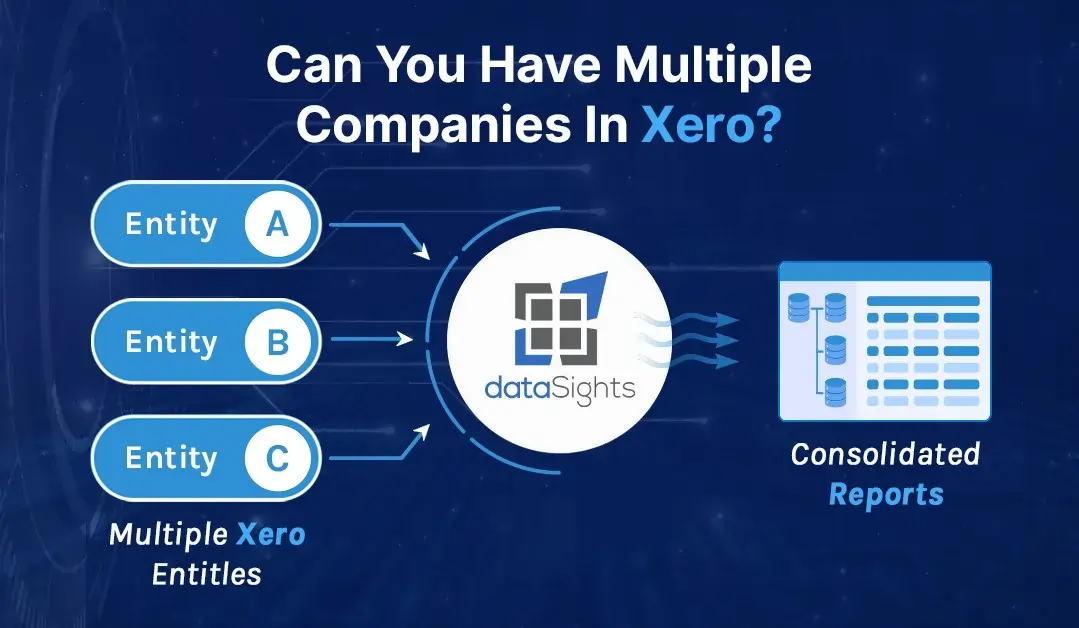
Managing multiple companies shouldn’t mean juggling multiple accounting systems. If you’re wondering whether you can have multiple companies in Xero, the answer is yes – but there’s more to the story than a simple login. Setting up multiple entities in Xero requires understanding subscription structures, consolidation challenges, and the real-time impact on your month-end close. Let’s cut through the confusion and show you exactly how multi-entity management works in Xero, including the manual processes that can turn a 5-day close into a 15-day marathon.
Can You Have Multiple Companies in Xero?
Yes, you can have multiple companies in Xero by setting up each entity as a separate organisation within your account. Each legal entity needs its own Xero subscription, but you’ll manage them all from one login. Xero offers automatic discounts when you have multiple organisations using the same subscriber email address.
Ready to Automate Your Financial Consolidation?
Stop wrestling with manual consolidations and broken formulas. dataSights automates multi-entity reporting, Xero consolidations, and Power BI connections. Join 300+ businesses already transforming their financial reporting with our platform, rated 5.0 out of 5 by 90+ verified Xero users.
Table of Contents
Setting Up Multiple Companies in Your Xero Account
Adding multiple organisations to your Xero account is straightforward, but understanding the structure is crucial for efficient management. Here’s how the system works and what you need to know before adding your second, third, or twentieth entity.
The Step-by-Step Process
Navigate to your Xero dashboard and look for the organisation name in the top menu. Click on it, then select ‘Change organisation’ followed by ‘Add a new organisation’. You’ll need to fill in the required details for your new entity, including:
- Company name and registration details
- Base currency (this can’t be changed later)
- Financial year-end date
- GST/VAT registration status
- Industry classification
Each organisation maintains completely separate financial records, bank feeds, and reporting. You’re essentially creating a new Xero file that happens to share your login credentials. This separation is critical for maintaining accurate books and meeting compliance requirements for each entity.
What Actually Happens Behind the Scenes
When you add a new organisation, Xero creates an entirely separate database for that entity. Your ‘My Xero’ dashboard becomes the central hub where you can see all organisations you have access to. Switching between companies is as simple as clicking the organisation name and selecting from your list – but the simplicity ends there when it comes to consolidated reporting.
Understanding Xero’s Pricing for Multiple Organisations
Cost considerations often drive the decision-making process for multi-entity setups. Here’s what you need to know about Xero’s pricing structure and how to maximise available discounts.
The Multi-Organisation Discount
Xero automatically applies discounts when you subscribe to more than one Business Edition organisation using the same email address. The discount structure rewards businesses that consolidate their accounting under one account, making it more cost-effective than maintaining separate logins for each entity.
However, there’s a catch for international businesses. If your organisations use different country editions of Xero (like Australian and UK versions), you’ll need to contact Xero Support to apply the discount manually. This extra step catches many businesses off guard, so factor in the admin time when planning your setup.
Calculating Your True Costs
Beyond subscription fees, consider the hidden costs of multi-entity management:
- Time spent switching between files for reconciliations
- Manual consolidation processes (often 10-15 hours monthly)
- Potential errors from manual data entry
- Additional third-party consolidation tools (£25-£250 per month)
According to research from Mayday, finance teams spend days reconciling intercompany loan accounts manually, pulling transactions into Excel and going through line by line. When you factor in these labour costs, the subscription fees often pale in comparison.
The Reality of Managing Intercompany Transactions
Intercompany transactions represent one of the biggest challenges in multi-entity Xero setups. Without native features to handle these transactions, finance teams resort to time-consuming manual processes.
Common Intercompany Scenarios
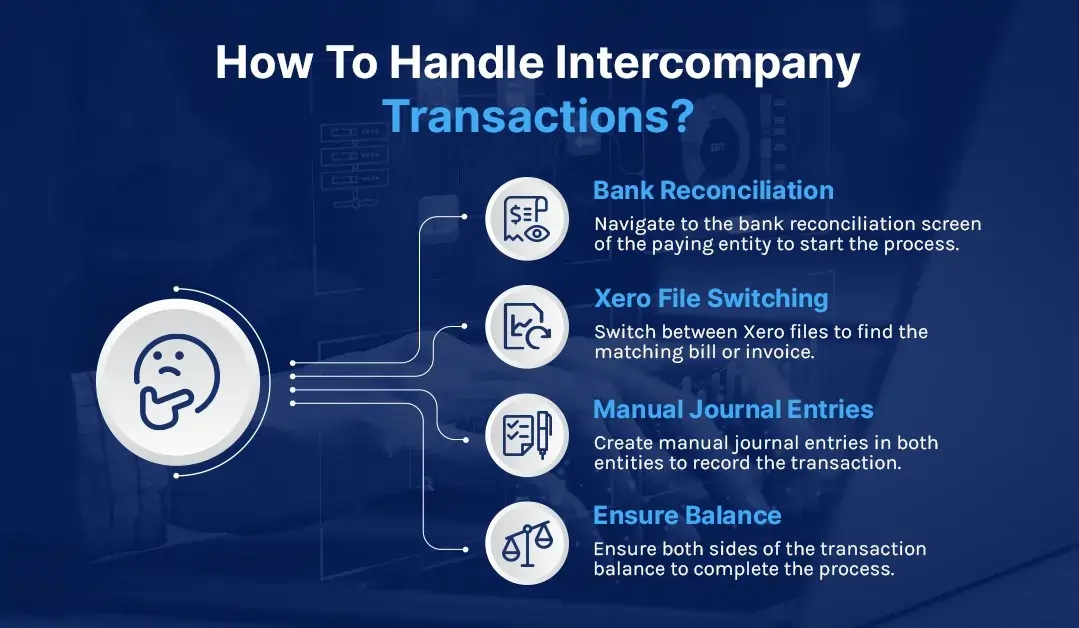
When one entity pays a bill on behalf of another, you’re looking at a complex reconciliation process. Here’s what typically happens:
- Navigate to the bank reconciliation screen of the paying entity
- Switch Xero files to find the matching bill or invoice
- Create manual journal entries in both entities
- Ensure both sides of the transaction balance
This process becomes exponentially more complex with multiple currencies. FX rate changes mean intercompany loan accounts fall out of balance regularly, requiring constant adjustments.
The Manual Recharge Process
Intercompany recharges – where costs need to be allocated between entities – follow an equally laborious path:
- Export transactions from each entity’s Xero file
- Manually identify appropriate recharge treatments in spreadsheets
- Calculate the correct charges (hoping your formulas are right)
- Create invoices or journals in each affected entity
- Post everything back to Xero
- Pray it all balances
Finance teams report spending half a day on what should be a 5-minute task, with error rates climbing as transaction volumes increase.
Consolidation: Where Multi-Entity Management Gets Real
Here’s where the rubber meets the road. Xero doesn’t offer native consolidation features, meaning you’re looking at manual exports and Excel gymnastics to produce group reports.
The Manual Consolidation Marathon
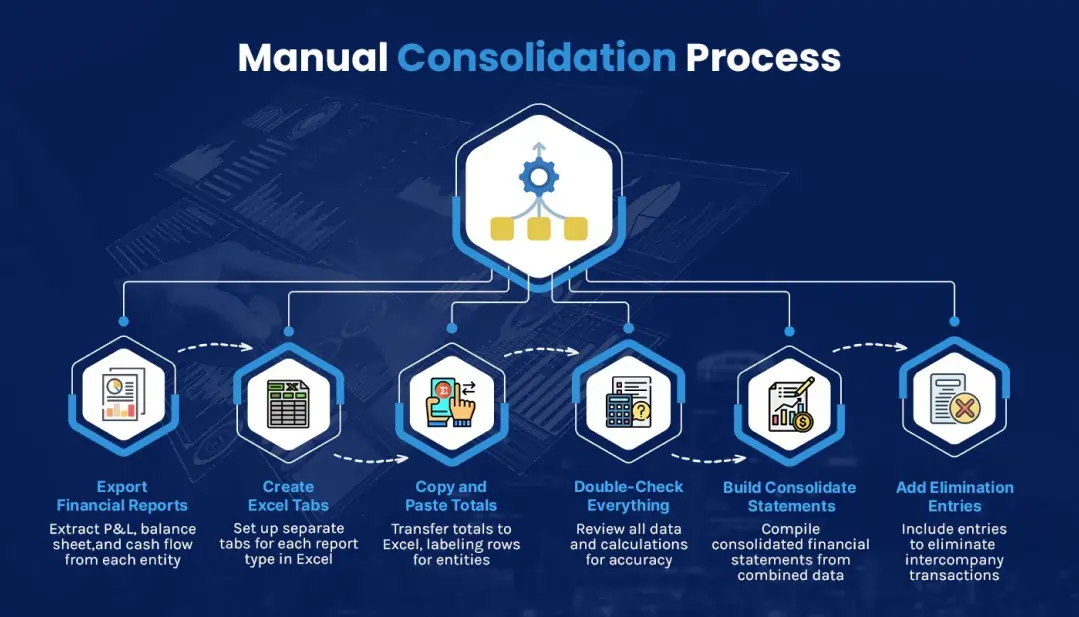
The typical consolidation process looks like this:
- Export P&L, balance sheet, and cash flow from each entity
- Create separate Excel tabs for each report type
- Copy and paste totals, labelling rows to track entities
- Add elimination entries for intercompany transactions
- Build consolidated statements from the combined data
- Double-check everything (errors hide everywhere)
Manual consolidation turns continuously changing numbers into a challenging and time-consuming process. One misplaced decimal or forgotten elimination entry can throw off your entire group position.
Real-World Time Impact
Research shows finance teams managing multiple entities face tasks that can seem endless. A typical 20-entity group might spend:
- 3-5 days gathering and exporting data
- 2-3 days building consolidation spreadsheets
- 1-2 days checking and correcting errors
- Another 2-3 days if intercompany balances don’t match
That’s your 5-day close stretched to 15 days, with your team buried in spreadsheets instead of analysing results.
Managing User Access Across Multiple Entities
User permissions become increasingly complex as your entity count grows. Understanding Xero’s access control system helps prevent both security risks and productivity bottlenecks.
Setting Up Multi-Entity Access
Users can be invited to access multiple organisations within Xero through email invitations. The process involves:
- Navigating to Settings > Users in each organisation
- Inviting users with their email address
- Setting specific permissions for each entity
- Managing different access levels across organisations
Standard users might have full access in one entity but read-only access in another. Advisor users typically get broader permissions, including reporting and payroll access where needed.
Permission Complexity at Scale
Managing permissions across 10+ entities becomes a full-time job. You’re tracking:
- Who has access to which entities
- What level of access they have in each
- When access should be reviewed or revoked
- How changes in one entity affect group reporting
Many businesses underestimate this administrative overhead when planning their multi-entity structure.
Why Some Try (and Fail) to Run Multiple Companies in One Xero File
The accounting community warns that you do not run multiple legal entities in a single Xero instance. Yet businesses still try, usually attempting to use tracking categories or departments to separate entities.
The Department Code Disaster
Here’s why this approach fails:
- Department codes are designed for P&L reporting, not balance sheets
- Bank reconciliations become impossible to separate
- Intercompany transfers appear as simple bank transfers
- Year-end accounts require extensive manual unwinding
- Audit trails become meaningless
- Compliance requirements can’t be met
The extra fees at year-end to unwind the mess exceed any savings in Xero subscriptions. One firm reported spending weeks picking apart transactions that should have been separated from the start.
Making Multi-Entity Xero Work: Your Options
Despite the challenges, thousands of businesses successfully manage multiple entities in Xero. Here’s how they make it work:
Option 1: Embrace the Manual Process
Some smaller groups accept the manual workload, typically those with:
- 2-3 entities maximum
- Simple intercompany transactions
- Monthly rather than weekly reporting needs
- Strong Excel skills in the finance team
This works until growth hits. Then the wheels fall off.
Option 2: Build Better Processes
Successful multi-entity teams develop rigorous processes:
- Standardised charts of accounts across entities
- Consistent month-end timetables
- Clear documentation for reconciliations
- Regular intercompany balance checks
Process improvements can cut consolidation time by 30-40%, but you’re still looking at days, not hours.
Option 3: Automate with Third-Party Tools
The Xero ecosystem offers various consolidation tools. dataSights’ Xero consolidation automates the entire process, syncing data from multiple entities into unified reports. With automated eliminations and real-time updates, what took 15 days manually drops to under 5.
YouTube Video: Xero Consolidation Explained
Understanding multi-entity consolidation becomes clearer when you see it in action. This video demonstrates how automated consolidation works across multiple Xero organisations, including the specific challenges of tracking categories and multi-currency considerations.
Frequently Asked Questions
Can I use one Xero subscription for multiple companies?
No, each legal entity requires its own Xero subscription. You’ll have one login to access all your organisations, but each maintains separate subscriptions and billing.
Is there a limit to how many companies I can have in Xero?
Can I run multiple companies in one Xero file?
How do I add another company to my existing Xero account?
What happens if my companies are in different countries?
Can different users access different companies?
Do I need to log in separately for each company?
How long does manual consolidation typically take?
What about intercompany loan reconciliations?
Can I share bank accounts between Xero entities?
What's the biggest mistake businesses make with multiple entities?
How do I handle consolidated reporting for investors?
Are there alternatives to manual consolidation?
Yes, dataSights automates Xero consolidation completely. Connect multiple Xero entities to Power BI, Excel, or Google Sheets with automated refresh and proper data models. No manual exports, no broken formulas.
Stop Fighting Xero's Multi-Entity Limitations
Transform Your Multi-Entity Xero Consolidation Today
About the Author
Kevin Wiegand
Founder & Client happiness
I’m Kevin Wiegand, and with over 25 years of experience in software development and financial data automation, I’ve honed my skills and knowledge in building enterprise-grade solutions for complex consolidation and reporting challenges. My journey includes developing custom solutions for data teams at Gazprom Marketing & Trading and E.ON, before founding dataSights in 2016. Today, dataSights helps over 300 businesses achieve 100% report automation. I’m passionate about sharing my expertise to help CFOs and Financial Controllers reduce their month-end close time and eliminate the manual Excel exports that drain their teams’ valuable time.