
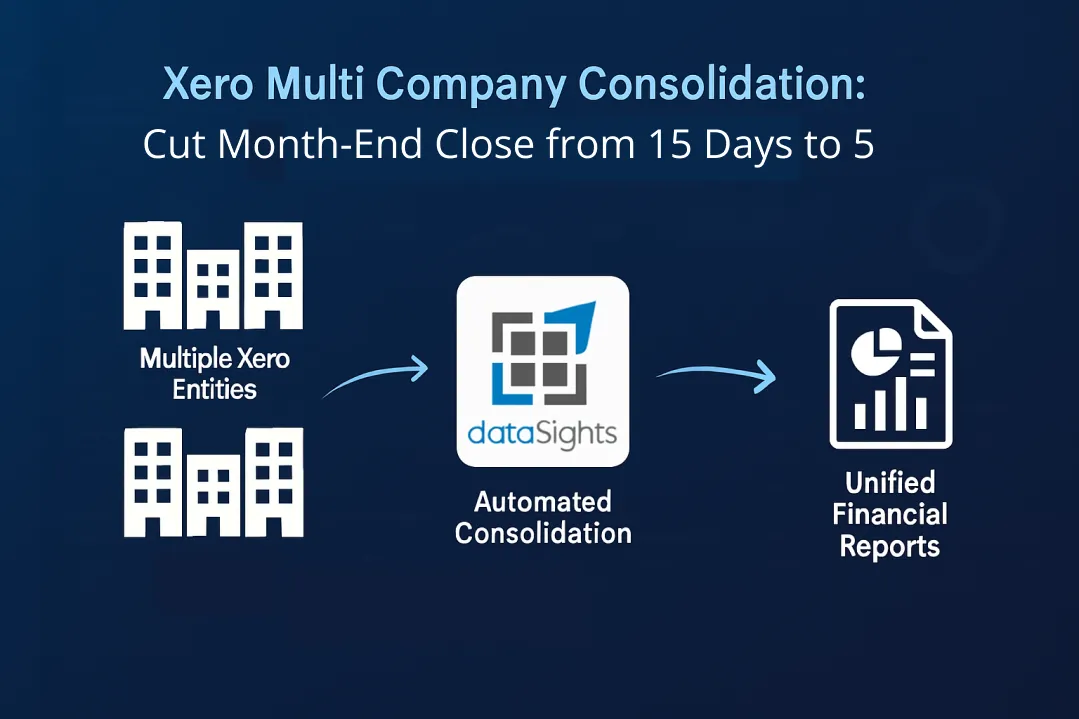
Managing financial data across multiple companies in Xero? You’re likely spending days, maybe weeks, on manual consolidation every month. Multi-entity businesses waste countless hours downloading CSVs, reconciling in Excel, and praying the balance sheets actually balance. There’s a better way: automated Xero multi company consolidation (also known as Xero consolidation or Xero multi-entity consolidation) cuts month-end close from over 2 weeks to under 5 days while eliminating manual errors.
What Is Xero Multi Company Consolidation?
Xero multi company consolidation combines financial data from multiple Xero organisations into unified reports with automatic intercompany eliminations and multi-currency conversions. dataSights‘ automated consolidation, rated 5.0 by 90+ verified Xero App Store users, reduces month-end close from over 15 days to under 5 days. Finance teams using dataSights save 3-5 hours monthly per entity while eliminating manual consolidation errors.
Ready to Automate Your Financial Consolidation?
Stop wrestling with manual consolidations and broken formulas. dataSights automates multi-entity reporting, Xero consolidations, and Power BI connections. Join 300+ businesses already transforming their financial reporting with our platform, rated 5.0 out of 5 by 90+ verified Xero users.
Table of Contents
Management Reports, Board Packs and AI Connect
Consolidation is only half the job. Once your Xero organisations are mapped, eliminated and converted, someone still has to turn that data into the pack the board reads on Thursday. dataSights now ships that reporting layer in the platform, with an AI layer called AI Connect on top of it. The work after the consolidation runs is automated too.
The reporting layer covers what a group needs each month. You get a consolidated P&L compared by entity, period and tracking category. Alongside it sit the balance sheet, trial balance, AR and AP detail as at any date, cashflow summary, budget and budget variance. Each report runs across every entity from day one. They export to PowerPoint, Excel or PDF on your own template, so the board pack stops being a copy-and-paste job. From there the same data flows into Excel through the Office Add-In and Power Query, and into Power BI off the same SQL views.
AI Connect is the dataSights MCP, a secure bridge between your database and the AI tool your team already pays for. It is included with every plan at no extra cost. It is worth being specific about what that changes:
- Works with the AI you already use: Claude, ChatGPT, Microsoft Copilot and any other MCP-compatible client. MCP is an open standard, so new tools work without waiting on us.
- Answers at the consolidated layer: Most Xero MCPs wire straight to the Xero API and expose one raw organisation at a time. AI Connect queries your database after eliminations, FX and account mappings have been applied, so a group-level question gets a group-level answer.
- Reaches the transaction: You can drill from a board-level variance straight to the account transaction behind it, across every entity.
- Writes as well as reads: Journals, invoices, bills, credit notes and tracking category updates post back to multiple Xero organisations from one conversation. Every posting carries a full audit trail.
- Stays under your control: Permissions are set per user by Xero entity, by view and by operation. dataSights enforces them when the query runs, rather than trusting the AI to.
Most customers have it connected in under fifteen minutes. The security model and the workflows finance teams run with it today are on the AI Connect page.
Can You Have Multiple Companies in Xero?
Yes, you can have multiple companies in Xero, each as a separate organisation under one login. You’ll manage each entity independently with its subscription, chart of accounts, and financial data. Xero offers automatic discounts when you have multiple organisations using the same subscriber email address.
Here’s how the multi-company structure works in Xero:
- Each legal entity requires its own Xero organisation
- One email login gives access to all your organisations
- Switch between entities from the organisation dropdown
- Each organisation has separate subscription pricing
- Discounts apply automatically for same-country organisations
The challenge? Xero doesn’t offer native consolidation features. You’ll need to export reports from each organisation manually, combine them in Excel, and handle eliminations yourself, or use an automated solution.
Understanding the Manual Consolidation Challenge
Manual Xero consolidation follows a painful, repetitive process. First, you export profit and loss, balance sheet, and cash flow reports from each entity separately. Next, copy these into Excel, creating separate tabs for each report type. Next comes the mapping of different charts of accounts, calculating eliminations, and checking every number twice.
According to the Xero community forums, businesses report spending more time consolidating outside Xero than analysing their actual performance. One finance manager noted: “We spend ages using lengthy SUMPRODUCT formulas getting it to a point where it’s useful.”
Common manual consolidation problems include:
- Only one Xero file open at a time
- Re-exporting data every time numbers change
- Broken formulas when account codes change
- Intercompany balances that won’t reconcile
- Currency conversion errors
- Missing elimination entries
The True Cost of Manual Consolidation
Time is money, especially during month-end. Manual consolidation typically takes:
- 2-3 hours per entity for data export and formatting
- 4-6 hours for intercompany reconciliations
- 3-4 hours for elimination entries
- 2-3 hours for error checking and corrections
For a business with just five entities, that’s easily 60-80 hours per month on consolidation alone. At a Financial Controller’s hourly rate, you’re looking at thousands in hidden costs monthly.
Automating Xero Multi Company Consolidation
Automated consolidation transforms this entire process. Instead of manual exports, your Xero data syncs automatically to a centralised database. Real-time updates mean no more re-exporting when transactions change. Consolidation happens in seconds, not days.
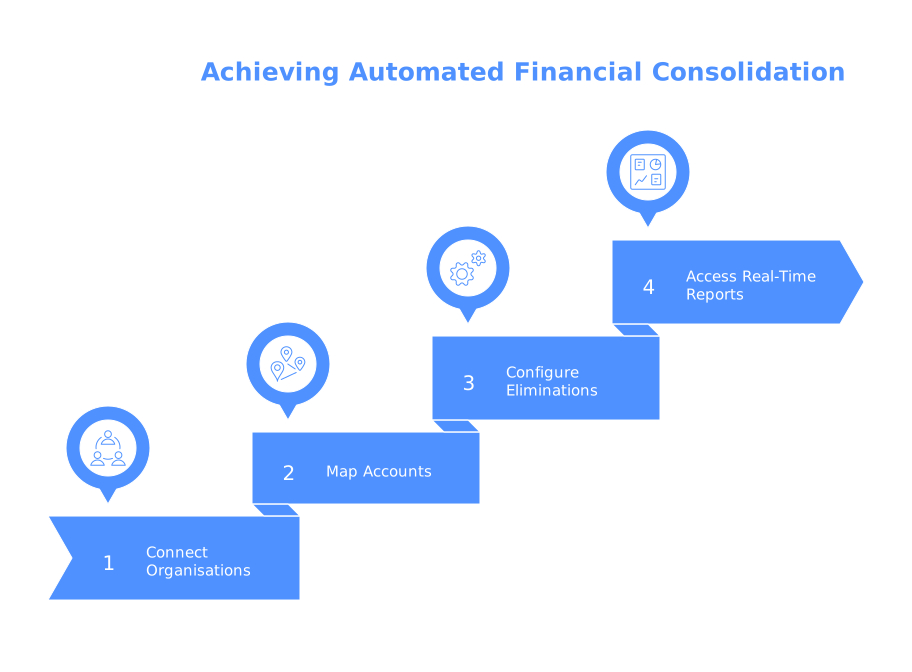
Here’s how automated consolidation works:
- Connect your Xero organisations – One-time setup links all entities
- Map your accounts – Set relationships between different charts of accounts
- Configure eliminations – Define intercompany rules once
- Access real-time reports – Consolidated financials update automatically
The transformation is immediate. Quantum Advisory reduced manual consolidation effort by 50% after implementing dataSights. This Sydney-based advisory team automated their multi-entity Xero consolidation process, eliminating hours of manual Excel work every month.
Handling Intercompany Eliminations
Intercompany eliminations ensure your consolidated reports reflect true economic activity. Without proper eliminations, you’ll double-count revenue, inflate assets, and misrepresent your financial position.
Key elimination types include:
- Intercompany sales – Revenue in one entity, expense in another
- Intercompany loans – Receivable and payable balances between entities
- Intercompany investments – Parent company stakes in subsidiaries
- Intercompany profits – Unrealised gains on internal transfers
dataSights handles eliminations through automated rules you configure once. The system identifies matching transactions across entities, calculates elimination entries, and posts them to your consolidation automatically. Your balance sheets balance every time.
To see how automated consolidation by dataSights actually works, watch this video demonstrate management reporting that balances every time. It’ll show you mapping and eliminations setup, automatic FX calculations, and how to upload journal adjustments to multiple Xero entities simultaneously.
Multi-Currency Consolidation Features
Operating across borders? Multi-currency consolidation adds another layer of complexity. According to Oracle’s consolidation documentation, you need sophisticated currency handling to ensure accurate group reporting.
Important multi-currency features:
- Automatic daily exchange rate updates
- Historical rate tracking for equity accounts
- Average rate calculations for P&L items
- Spot rates for balance sheet accounts
- Currency gain/loss calculations
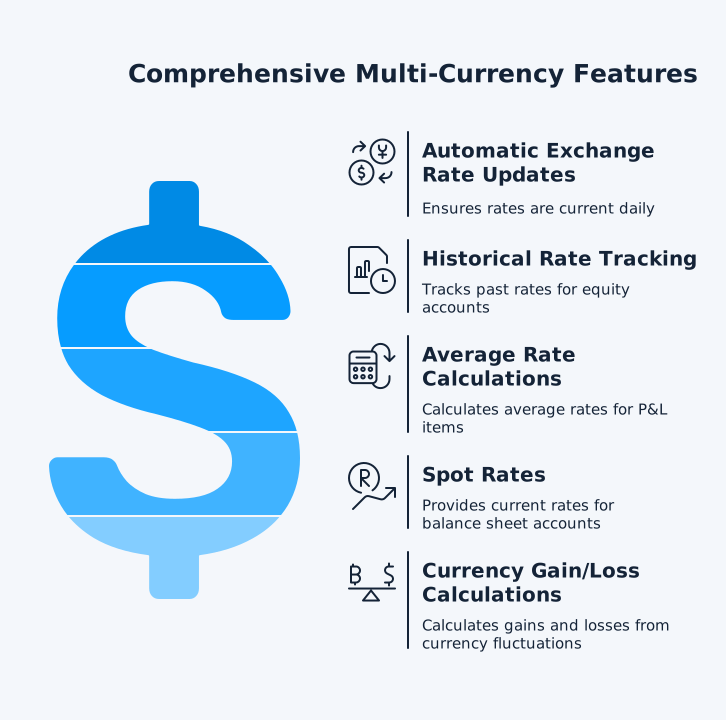
With dataSights, currency conversions happen automatically using real-time rates. You’ll see your group performance in your base currency while maintaining visibility of local entity results.
Time and Cost Savings Analysis
The numbers speak for themselves. dataSights users with verified Xero App Store reviews report:
- Month-end close reduced from 15+ days to under 5 days
- Reduce closing time by up to 70% * 3-5 hours saved monthly per entity
- Zero manual elimination errors
- Consolidated P&L available in minutes, not days
- Pull transactional data from hundreds of Xero files
- Push journals to all entities with one click
For a 10-entity group, that’s 30-50 hours saved monthly. One finance manager reported completing month-end in 5 days versus the previous 10-15 days, allowing finance teams to spend more time improving results rather than constantly working through reporting cycles.
Getting Started with Automated Consolidation
Implementation is straightforward:
- Create your dataSights account – Free trial available
- Connect your Xero organisations – Secure OAuth connection
- Configure your consolidation rules – We help with setup
- Access your reports – Power BI, Excel, or Google Sheets
Most businesses see their first consolidated report within 30 minutes of setup, with no IT involvement required.
What dataSights Users Say: Xero App Store Reviews
dataSights maintains a 5.0 rating from 90+ verified Xero App Store users. Finance teams report immediate time savings and simplified consolidation workflows:
“DataSights has saved us days of work every month by allowing us to easily pull transactional data from hundreds of Xero files, and to push journals from Excel to all Xero files with one click. We’re also able to provide a level of visibility to business owners and operational staff by using dataSights to drive PowerBI dashboards with live connections to Xero and other data. Kevin and the team have been great to deal with and have put a huge amount of work into identifying our needs and evolving the product to meet them. We’re a very happy client!” – Daniel Dalais, Finance Manager, Priceline Pharmacy
“We now have our month end reporting completed in 5 days (previously 10 to 15 days) so finance can spend more time in the business improving results as opposed to constantly on a month end reporting cycle.” – Verified dataSights User
“DataSights is an amazing tool for consolidation and data. I have been using it for over 12 months now and have not looked back. We have added more apps for data analysis (Deputy and Tevalis) and Kevin and DataSights has been amazing supporting us with it.” – Verified dataSights User
“Fantastic product and amazing customer service. Very quick response time and always happy to jump on a call to work through any queries.” – Verified dataSights User
“This is an invaluable resource that has enabled us to seamlessly integrate both Xero and inventory data, helping us manage our complex stock and improve demand forecasting. It has significantly reduced the time spent on manual tasks. Kevin and his team are highly responsive, providing effective solutions, and their support is exceptional.” – Verified dataSights User
See all verified reviews on the Xero App Store.
Frequently Asked Questions
How Much Does Xero Charge for Multiple Companies?
Xero charges separate subscriptions for each organisation but offers automatic discounts for multiple companies. When you use the same email address across organisations, discounts apply automatically for same-country entities. Contact Xero support for cross-country discounts.
Can You Run Multiple Companies Under One Xero Account?
No, you cannot run multiple legal entities in a single Xero instance. Each company needs its own Xero organisation for compliance and reporting accuracy. You can access all organisations through one login, but they remain separate.
What's the Fastest Way to Consolidate Multiple Xero Entities?
Automated consolidation tools provide the fastest results. Manual Excel consolidation takes days, while automated solutions like dataSights deliver consolidated reports in minutes. Connect your entities once, and reports update automatically.
How Do Intercompany Eliminations Work in Xero Consolidation?
Since Xero lacks native elimination features, you’ll need third-party automation. These tools identify intercompany transactions, calculate elimination entries, and post them automatically. This ensures your consolidated balance sheet reflects true group position.
Can I Consolidate Different Currencies in Xero?
Yes, but not natively. Automated consolidation tools handle multi-currency by applying appropriate exchange rates (spot, average, or historical) based on account type. Your consolidated reports show group performance in your base currency.
How Long Does It Take to Set Up Automated Consolidation?
Initial setup is straightforward, and most businesses see their first consolidated report quickly after starting the setup. You’ll connect your Xero organisations, map key accounts, and configure basic elimination rules. Most businesses see their first automated consolidated report within an hour of starting the setup.
Do I Need IT Support for Consolidation Automation?
No IT support required. Modern consolidation tools use secure OAuth connections to Xero. Setup happens through user-friendly interfaces designed for finance professionals, not technical staff.
Can AI Query My Consolidated Xero Data?
Yes. AI Connect is the dataSights MCP, and it lets Claude, ChatGPT, Microsoft Copilot or any MCP-compatible tool query your consolidated data in plain English. It reads after eliminations, FX and mappings are applied, and it can post journals and other records back to multiple Xero organisations.
What Happens to My Existing Excel Consolidation Files?
Keep them as backup initially, but you won’t need them for regular reporting. Automated consolidation replaces manual Excel processes while maintaining full audit trails and historical data access.
Stop Wrestling with Spreadsheets and Start Consolidating Smarter
Manual Xero consolidation belongs in the past. While Excel served its purpose, modern finance teams need real-time visibility, guaranteed accuracy, and time for strategic work. Automated consolidation delivers all three, transforming your month-end from a marathon into a sprint.
Transform Your Xero Multi Company Consolidation Today
Ready to cut your month-end close from weeks to days? dataSights’ automated Xero consolidation solution holds a 5.0 rating from 90+ verified Xero App Store users, making complex multi-entity reporting simple. Join 300+ businesses already reducing month-end close from over 15 days to under 5.
About the Author
Kevin Wiegand
Founder & Client happiness
I’m Kevin Wiegand, and with over 25 years of experience in software development and financial data automation, I’ve honed my skills and knowledge in building enterprise-grade solutions for complex consolidation and reporting challenges. My journey includes developing custom solutions for data teams at Gazprom Marketing & Trading and E.ON, before founding dataSights in 2016. Today, dataSights helps over 300 businesses achieve 100% report automation. I’m passionate about sharing my expertise to help CFOs and Financial Controllers reduce their month-end close time and eliminate the manual Excel exports that drain their teams’ valuable time.