Still exporting PDFs from Xero, checking distribution
lists, and answering questions on figures that changed
yesterday? For multi-entity finance teams, report
distribution software should remove that work – not
create another monthly admin cycle. This article
explains what good report distribution software actually
does, where Xero Report Packs stop, and how
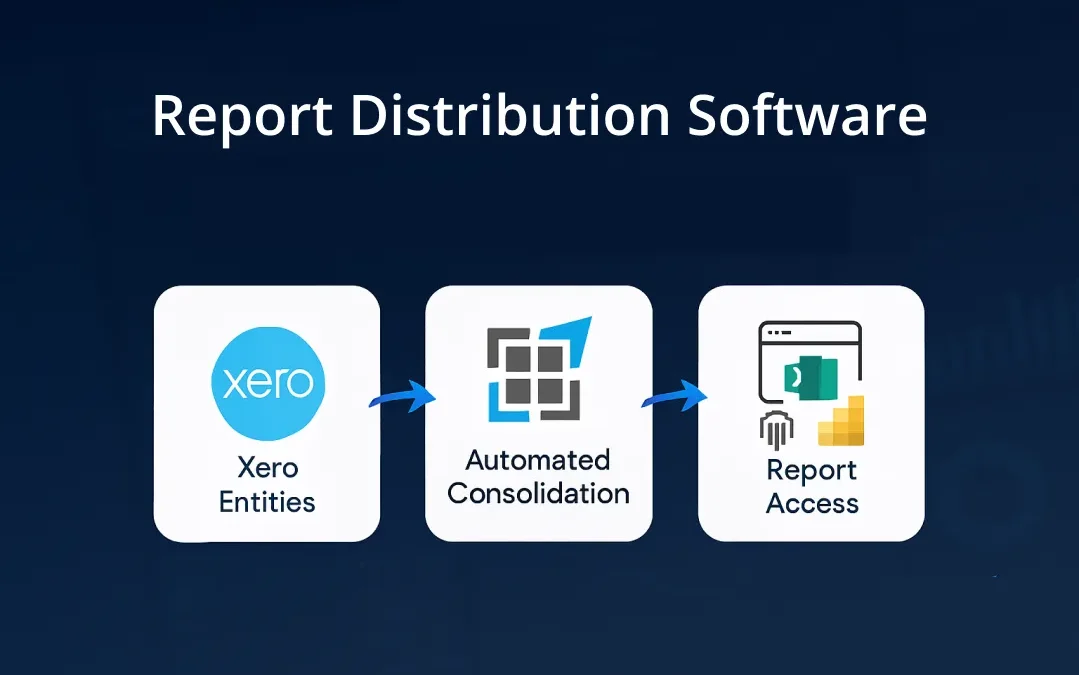
dataSights gives stakeholders current
management reports through the web platform, Excel, and
Power BI. Keep reading if you want report access that
stays current after the close, not a static file that
starts ageing the moment you send it.
Report Distribution Software Explained
Report distribution software gives stakeholders access
to current financial reports without rebuilding,
exporting, and resending files every period. For Xero
groups, the best tools do more than deliver a PDF – they
refresh consolidated data automatically, apply
permissions by audience, and keep management reports
available through the web platform, Excel, or Power BI.
Ready to Automate Your Financial Consolidation?
Stop wrestling with manual consolidations and broken
formulas. dataSights automates multi-entity reporting,
Xero consolidations, and Power BI connections. Join 300+
businesses already transforming their financial
reporting with our platform, rated 5.0 out of 5 by
90+ verified Xero users.
Start Your Free 14-Day Trial
Why Manual Report Distribution Fails Finance Teams
Every manual distribution cycle adds time, risk, and
frustration to an already pressured close process. These
are the two failure points that affect most Xero-based
finance teams.
The Monthly Distribution Bottleneck
Most finance teams repeat this cycle every period:
- Run reports in Xero
- Export to PDF or Excel
- Compile and check the distribution list
- Send via email
-
Field queries when figures have already changed
before recipients act on them
Report distribution sits at the end of the close
process, so every manual step upstream makes the final
handoff slower and more error-prone.
The Limitations of Xero Report Packs
Xero Report Packs allow saving templates, but they still need to be regenerated
each period and work as fixed reporting snapshots rather
than live connected reports:
-
Packs must still be regenerated each period manually
-
Published or exported reports are fixed snapshots,
not live connected dashboards
-
Covers a single entity only, with no intercompany
eliminations
- No multi-currency consolidation across entities
-
No native scheduled email distribution, and access
is governed by Xero's standard user roles and report
permissions rather than report-pack-specific sharing
controls
For a group of three or more Xero entities, this manual
regeneration cycle becomes a significant drain on the
finance team's time each per
What Effective Report Distribution Software Delivers
Effective report distribution software goes beyond
scheduled email delivery. The following capabilities
separate purpose-built consolidation platforms from
basic document delivery tools.
Automated Data Refresh, Not Just Scheduled Email
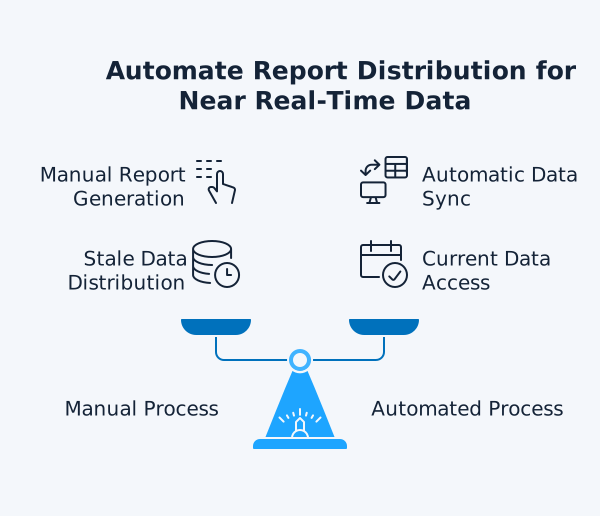
Scheduled report delivery via email attaches a static
file and moves on. Purpose-built solutions go further by
automating the data refresh itself, so underlying
figures update on your configured schedule without any
manual intervention. Key outcomes include:
-
Stakeholders access near real-time data rather than
a point-in-time PDF snapshot
-
No manual regeneration cycle required between
reporting periods
-
Finance teams spend time on analysis, not
distribution logistics
-
Late transaction postings are reflected in the next
scheduled refresh, without a manual send required
Role-Based Access and Permissions
Different stakeholders need different data. Effective
report distribution software applies role-based
permissions automatically:
-
Board members see consolidated group P&L,
Balance Sheet, and Cash Flow
-
Department managers see their cost centre detail
only
- Investors see entity-level revenue and KPIs
-
External auditors see Trial Balance with full audit
trail
This eliminates the need for the finance team to create
separate report packs for each audience each period.
Stakeholder preferences vary. Purpose-built report
distribution software supports multiple output formats
from the same data source:
-
Web-based dashboards with drill-down capability for
executives
-
Live Excel workbooks with full transactional detail
for finance analysts
-
Power BI dashboards for interactive visualisation
and cross-entity analysis
Consolidated Multi-Entity Reporting
For businesses managing multiple Xero entities, report
distribution software must consolidate data before
distribution. Real consolidation means:
-
Intercompany eliminations applied before any report
reaches a stakeholder
-
Currency conversions handled in accordance with
IAS 21
-
A single group view produced automatically from all
entities
-
Drill-through from consolidated totals down to
entity-level detail
For example, if Entity A sells services to Entity B for
£100,000, the group has not earned that revenue
externally. Consolidation removes the £100,000
intercompany revenue and the matching £100,000 expense
before the report reaches stakeholders.
How dataSights Automates Management Report Access for
Xero Groups
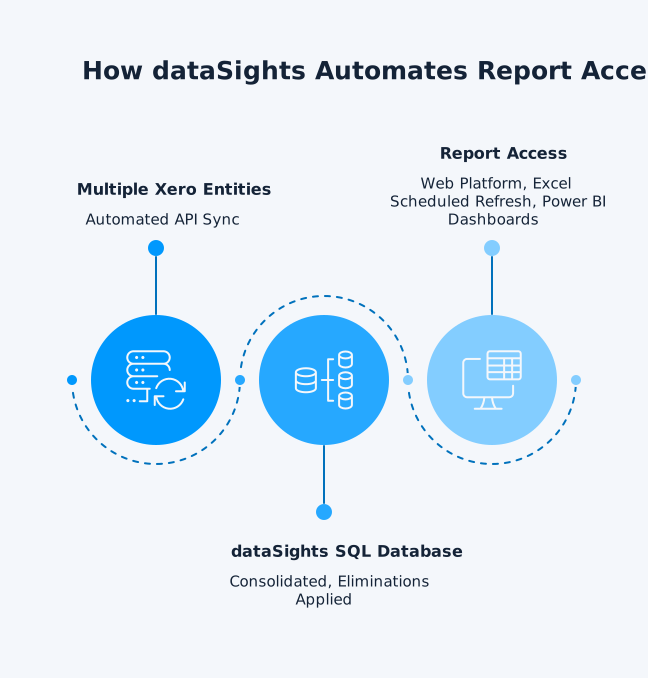
dataSights delivers management report automation for
Xero groups, replacing the manual distribution cycle
with automated report access across three channels.
That means finance teams can spot mismatches and late
postings during the period, not discover them only when
the board pack is due. Each channel connects to the
same dedicated Azure SQL database, so every stakeholder
sees the same data at the same time.
Automated Data Sync From Multiple Xero Entities
dataSights syncs financial data from all Xero entities
into a dedicated Azure SQL database per customer
automatically. Key features:
-
Automated API sync from multiple Xero organisations
-
Trial Balance is the foundation of the whole
workflow: if the consolidated Trial Balance does
not reconcile back to source entities, everything
downstream is at risk – from eliminations to board
packs.
-
Complex intercompany eliminations with a complete
audit trail and drill-through
- IAS 21-aligned multi-currency conversions
-
On-demand or scheduled data refresh for
always-current reporting
300+ businesses
currently use dataSights for automated Xero consolidation.
The primary dataSights output is a set of pre-formatted
management reports delivered through its web platform.
Board members and executives access consolidated
reports with near real-time data (updated on your
configured refresh schedule), without the finance team
generating or sending a new pack each period. Reports
include:
-
Consolidated Profit and Loss with eliminations
- Balance Sheet reconciled across entities
- Trial Balance with full audit trail
-
Accounts Receivable and Accounts Payable: Summary
and Detailed
- Budget and Budget Variance reports
- Cash Flow statements
Excel Automation for Finance Teams
75% of dataSights customers automate Excel. Using the dataSights OfficeAddIn and
Power Query (Excel Data tab), finance teams refresh
consolidated Xero data directly into existing workbooks.
This enables:
-
Custom management reports built in Excel, fed by
automated data pipelines
-
Month-end reconciliations and journal adjustments
with near real-time consolidated data
-
Cashflow forecasts using figures from all entities
-
Multi-entity journal postings from a single
spreadsheet with one click
The goal is straightforward: automate the data into
Excel so teams focus on using it, not manually
extracting it. For more detail, explore the dataSights
Excel add-ins capability.
Power BI Dashboards for Advanced Analytics
For teams requiring interactive drill-through and
advanced visualisation, dataSights connects directly to
the dedicated Azure SQL database from Power BI.
Capabilities include:
-
DirectQuery for near real-time, query-time
connections
- Import Mode with scheduled refreshes
-
Drill-through from group summary to entity level to
individual transaction
- Power BI sharing via Microsoft with row-level security for internal and external stakeholders
Xero Report Packs vs. Automated Report Access
The table below compares Xero's native Report Pack
functionality against the automated access dataSights
provides.
| Feature | Xero Report Packs | dataSights |
| Template saving | Yes, templates can be saved | Automated workflows configured once |
| Data refresh | Must regenerate manually each period | On-demand or scheduled automatic refresh |
| Output format | Static snapshot exports (PDF, Excel,
Google Sheets) | Web, Excel, Power BI |
| Entity scope | Single entity only | Consolidated across all entities |
| Eliminations | Not available | Automated intercompany eliminations |
| Role-based access | Standard Xero user/report permissions | Role-based access controls; unlimited
users; Power BI sharing and RLS available
when implemented in Power BI |
| Multi-currency | No native multi-entity multi-currency
consolidation | IAS 21-aligned FX conversions |
Key Capabilities to Evaluate in Report Distribution
Software
Not all report distribution software handles
multi-entity Xero consolidation. These are the
capabilities to verify before committing to any
solution.
1. The Consolidation Requirement
Report distribution software that handles delivery
without consolidation shifts the manual work to the
recipient. Multi-entity Xero groups need consolidation
built in before any report reaches a stakeholder:
-
Intercompany eliminations applied automatically
- Multi-currency translation per IAS 21
-
Trial Balance reconciliation completed before
distribution
-
Entity-level drill-through available from
consolidated totals
2. Data Accuracy and Audit Trail
Finance professionals require certainty that
distributed reports match the underlying accounting
records. Look for:
-
Complete audit trail of which eliminations were
applied and when
-
Record of which version of data was used for each
report
- Data refresh timestamps visible to recipients
-
Reconciliation validations that prevent
distribution of unbalanced reports
3. Scalability Across Entity Count
Report distribution requirements grow as entity counts
increase:
-
Two-entity groups need straightforward
consolidation and basic access controls
-
10-50 entity structures require automated field
mapping and tracking category consolidation
-
International structures need multi-currency at
scale and jurisdiction-level reporting
dataSights is engineered for both small and large consolidations without performance degradation.
4. Integration With Existing Workflows
Report distribution software adds most value when it
integrates with tools already in use. For Xero-based
businesses, verify:
-
Direct Xero API connection with no CSV exports
required
-
Excel support for teams with existing models and
workbooks
- Power BI connectivity for BI development teams
- Connector coverage for non-Xero data sources
dataSights provides over 160 connectors across finance, operations, and marketing systems, enabling
consolidated reporting that combines Xero financials with
operational data from the rest of the business.
Stop Rebuilding the Same Pack Every Month
The monthly report distribution cycle is not an
unavoidable cost of financial reporting. When
consolidated data refreshes automatically and
stakeholders access current reports on demand through a
web platform, Excel, or Power BI, the distribution step
disappears entirely. Many dataSights customers report
reducing month-end close from over 15 business days to
under 5, with management packs ready the moment the
close completes. The result is fewer version control
issues, cleaner audit trails, and stakeholders working
from the same figures at the same time. Explore the
Xero consolidation service to see how automated report access works for your group
structure.