
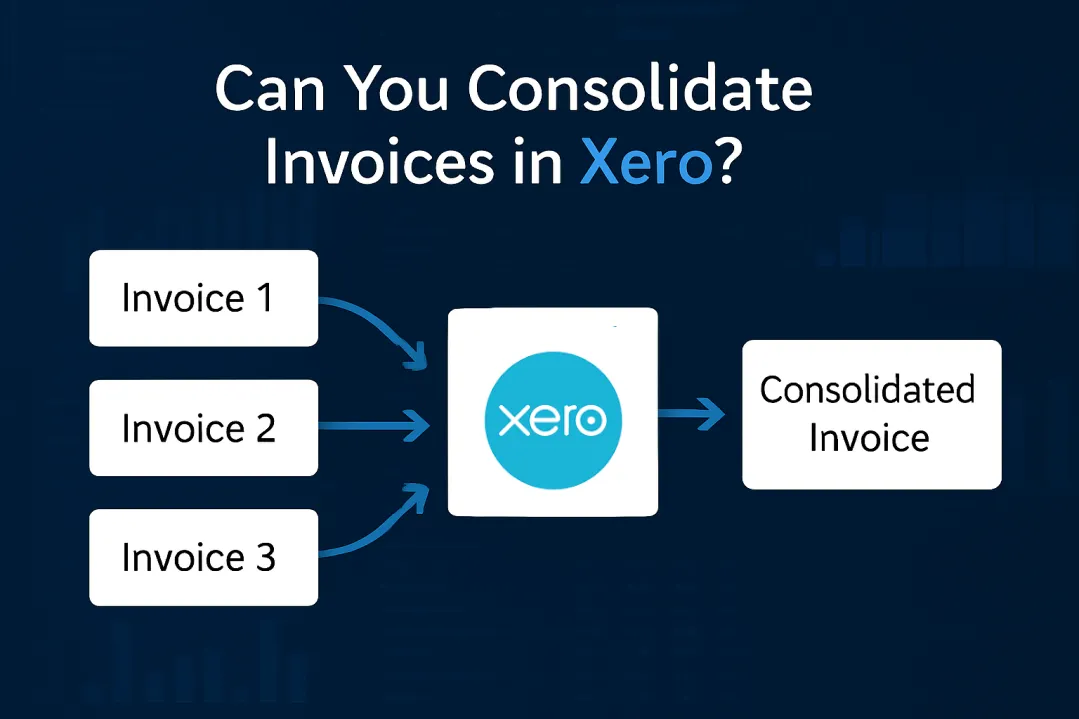
Managing multiple invoices for the same customer can quickly become a headache. You’re juggling dozens of draft invoices, manually copying line items, and wasting hours on what should be a simple task. The question “Can you consolidate invoices in Xero?” comes up constantly in finance forums and support tickets. While Xero does provide a way to combine multiple invoices, the reality involves more manual work than most users expect.
Can You Consolidate Invoices in Xero?
Yes, you can consolidate invoices in Xero using the “Copy & Merge” feature for draft invoices. This function allows you to select multiple draft invoices and combine their line items into a single new invoice. However, the original invoices remain in your system and must be manually deleted, which many users find time-consuming and prone to errors.
Ready to Automate Your Financial Consolidation?
Stop wrestling with manual consolidations and broken formulas. dataSights automates multi-entity reporting, Xero consolidations, and Power BI connections. Join 300+ businesses already transforming their financial reporting with our platform, rated 5.0 out of 5 by 90+ verified Xero users.
Table of Contents
How Xero’s Invoice Consolidation Works
Xero provides a Copy & Merge Draft Invoices action that copies line items from selected drafts into a new draft invoice – this isn’t a true in-place merge. Here’s what actually happens:
- The system creates a brand new invoice with a new invoice number.
- All line items from your selected invoices appear in this new document.
- Your original invoices stay exactly where they were – marked as drafts.
- You’ll need to manually delete or void these originals after creating the consolidated invoice.
This process works exclusively with draft invoices. Copy & Merge works only from the Drafts tab. To include an approved invoice, open it and Copy it to a draft first – then perform the merge from Drafts.
For a practical demonstration of how invoice data can be consolidated and analysed effectively, watch this video showing customer analysis using Xero invoice data with custom groupings and Power BI integration.
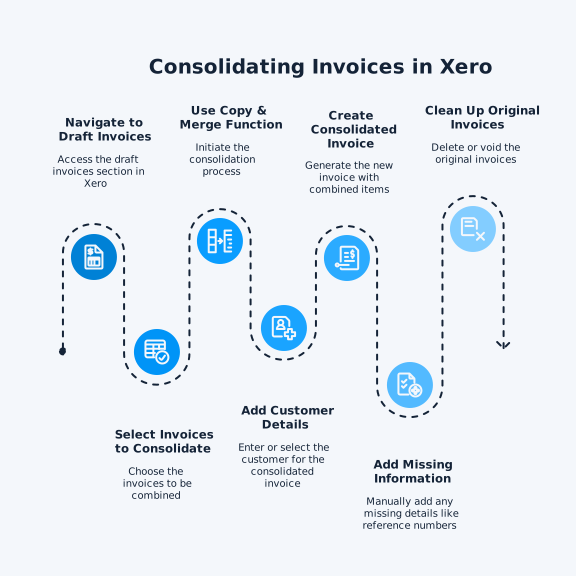
Step-by-Step Guide to Consolidating Invoices in Xero
Let’s walk through the actual process of consolidating invoices in Xero:
Step 1: Access Your Draft Invoices: Go to Business > Invoices and click on the “Drafts” tab. You’ll see all your draft invoices listed here with customer names and reference numbers.
Step 2: Select Draft Invoices to Combine (New Invoicing): In Business > Invoices > Drafts, tick the drafts you want to combine.
Step 3: Copy & Merge: Click Copy & merge into a new… > Invoice. Choose the Contact for the new invoice and confirm.
Step 4: Add Customer Details: Start typing the customer name in the “Merge all contents into one for:” field. Select from existing contacts or type a new name if needed.
Step 5: Create the Consolidated Invoice: Click to create your new draft invoice. All line items from your selected invoices now appear in one document. The system assigns a new invoice number automatically.
Step 6: Add Missing Information: The consolidated invoice won’t include original invoice reference numbers. Add these manually in the Reference field if you need them for tracking.
Step 7: Clean Up Original Invoices: Return to your drafts tab where you’ll find both the new consolidated invoice and all the originals. Delete or void the original invoices to avoid confusion and duplicate entries.
Common Challenges with Xero Invoice Consolidation
Finance teams regularly encounter several frustrations with Xero’s current consolidation process:
- Manual Cleanup Required: After creating a merged invoice, the original invoices remain in your system. You must remember to delete each one manually. Miss this step, and you risk sending duplicate invoices to customers.
- No Automatic Reference Tracking: When consolidating, you lose the connection to original invoice numbers unless you manually type them into the new invoice. This creates problems for audit trails and customer queries about specific jobs or orders.
- Status Limitations: You can only merge invoices within the same status tab. Need to combine an approved invoice with a draft? First, copy the approved invoice back to draft status, then proceed with consolidation.
- Time-Consuming for High Volumes: If you’re processing dozens of invoices daily, the manual nature of this process becomes unsustainable. Businesses dealing with high invoice volumes from multiple jobs or locations face significant time pressures with manual consolidation.
Alternative Solutions for Invoice Management
When Xero’s native features don’t meet your needs, consider these approaches:
- Recurring Invoices for Regular Customers: For customers you bill the same amount monthly, set up recurring invoices in Xero (option to change region). The system automatically creates and can send these invoices on your schedule.
- Third-Party Integration Tools: Apps designed for specific industries often include better consolidation features. For example, some integration tools allow you to set rules for consolidating transactions daily or monthly before export, eliminating the need for manual merging.
- Xero “Send invoices”: Use this to support on-topic AR guidance (sending online invoices with a Pay now button and offering card or direct-debit options via Stripe/GoCardless) that helps teams get paid faster and reduces manual chasing.
Multi-Entity Consolidation: A Different Challenge
If you’re managing multiple Xero organisations, invoice consolidation becomes part of a bigger challenge. Xero doesn’t provide native consolidated reporting across multiple entities.
For multi-entity businesses, you’re looking at:
- Exporting data from each Xero file separately
- Manual reconciliation in Excel
- No automatic elimination of intercompany transactions
- Time-intensive month-end processes
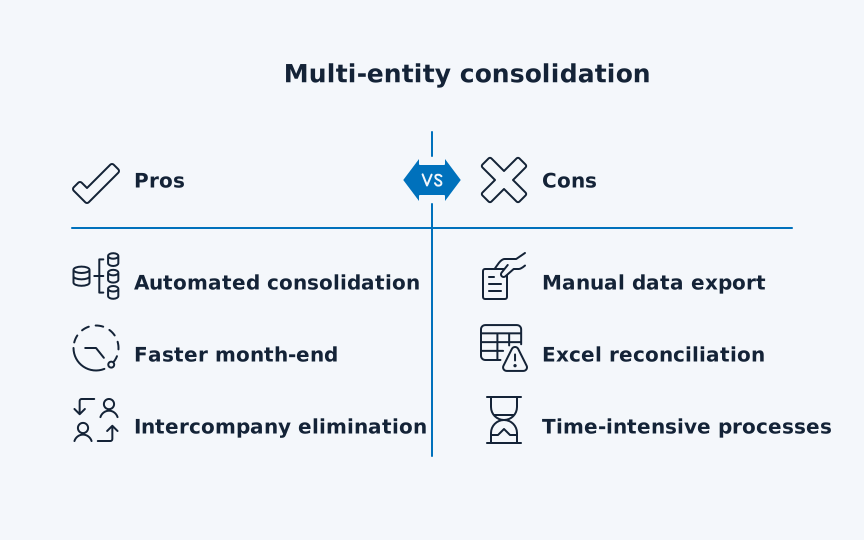
This is where purpose-built consolidation software plays a role. These tools can reduce month-end close by automating the entire consolidation process.
Best Practices for Invoice Management in Xero
To minimise consolidation headaches, implement these practices:
- Standardise Your Processes: Create clear procedures for when and how to consolidate invoices. Document which team member handles consolidation and when it happens in your workflow.
- Use Reference Fields Effectively: Always add original invoice numbers to consolidated invoices. Create a consistent format like “Consolidated: INV-001, INV-002, INV-003” for easy tracking.
- Set Up Regular Reviews: Schedule weekly or daily invoice reviews to prevent draft invoice buildup. The fewer invoices you need to consolidate at once, the less room for error.
- Consider Your Invoice Creation Process: Before invoices reach Xero, evaluate whether your current system creates unnecessary splits. Sometimes the solution lies upstream in your order or job management system.
Frequently Asked Questions
Can I Merge Approved Invoices in Xero?
No, you cannot directly merge approved invoices. You must first copy approved invoices back to draft status, then use the copy & merge function. After consolidation, you’ll need to approve the new merged invoice.
Will Consolidated Invoices Automatically Delete the Originals?
No, Xero’s merge function creates a new invoice while keeping all original invoices intact. You must manually delete or void the original invoices to prevent duplication.
Can I Consolidate Invoices From Different Customers?
The merged invoice is created for a single contact you choose. For audit clarity, only select drafts for the same customer.
Is There a Limit to How Many Invoices I Can Consolidate?
Xero doesn’t specify a hard limit for the number of invoices you can merge at once. However, performance may slow with very large numbers of line items.
Can I Consolidate Invoices Across Multiple Xero Organisations?
No, invoice consolidation only works within a single Xero organisation. For multi-entity consolidation, you’ll need third-party software.
How Do I Maintain an Audit Trail When Consolidating Invoices?
Add original invoice numbers to the Reference or Description field of your consolidated invoice. Consider creating a spreadsheet that maps original invoices to their consolidated versions for additional documentation.
Can I Automate Invoice Consolidation in Xero?
Xero doesn’t offer native automation for consolidating multiple invoices. Third-party apps or integration tools provide automated consolidation based on your business rules.
What Happens to Tracking Categories When I Merge Invoices?
Because Copy & Merge copies line items, any tracking set at the line level is copied into the new draft. Verify on a sample merge before relying on it for reporting. Ensure consistency in your tracking categories across invoices you plan to merge.
Can I Split a Consolidated Invoice Back Into Individual Invoices?
No, there’s no automatic way to reverse a consolidation. You would need to create new individual invoices if required manually.
Does Consolidation Affect My Invoice Numbering Sequence?
Yes, the consolidated invoice receives a new number from your sequence. The original invoice numbers are not reused unless you manually adjust your numbering settings.
Does Copy & Merge work across currencies?
Xero supports multi-currency at the invoice level (on eligible plans). Copy & Merge behaviour isn’t documented for cross-currency selections; verify in a test file and avoid mixing currencies in a single merge for clarity.
Time to Transform Your Invoice Management
Xero’s Copy & Merge feature provides a basic solution for consolidating invoices, but the manual cleanup and limitations make it unsuitable for growing businesses. Whether you’re dealing with dozens of daily invoices or managing multiple entities, the hours spent on manual consolidation directly impact your month-end efficiency. The right automation tools can transform this tedious process into a streamlined workflow that actually scales with your business. Don’t let invoice consolidation remain your team’s monthly bottleneck – explore solutions that give you those hours back.
Ready to Automate Your Multi-Entity Xero Consolidation?
Manual invoice consolidation within a single Xero file is frustrating enough. But if you’re managing multiple Xero entities, you’re facing a completely different challenge – consolidating financial data across your entire group. dataSights connects all your Xero organisations and automates group consolidation with full elimination entries. With 90+ five-star reviews from multi-entity businesses, our clients reduce month-end close from weeks to under 5 days. Stop exporting CSVs and manually reconciling in Excel.
About the Author
Kevin Wiegand
Founder & Client happiness
I’m Kevin Wiegand, and with over 25 years of experience in software development and financial data automation, I’ve honed my skills and knowledge in building enterprise-grade solutions for complex consolidation and reporting challenges. My journey includes developing custom solutions for data teams at Gazprom Marketing & Trading and E.ON, before founding dataSights in 2016. Today, dataSights helps over 300 businesses achieve 100% report automation. I’m passionate about sharing my expertise to help CFOs and Financial Controllers reduce their month-end close time and eliminate the manual Excel exports that drain their teams’ valuable time.